JournalStudio notes
What a subharmonic synthesizer does, and how Plinth follows your low end
A subharmonic synthesizer adds sound below the source. Explore how Plinth tracks a bass note, aligns its generated sub and handles uncertain input, then hear the existing demo.
A subharmonic synthesizer does something simple to describe: it listens to your low end and adds a tone one octave below it. Making that tone is the easy part. The work is keeping it lined up with the note it came from, cycle after cycle, and knowing when there is no note at all. This is how Plinth does both.
What does a subharmonic synthesizer add?
If the tracked fundamental is 80 Hz, an octave-down generator makes a 40 Hz tone. That is different from turning up 40 Hz with an EQ: an EQ changes energy already present, while the generator creates a new component. Saturation usually takes the other direction, adding harmonics above a fundamental. The three processes can all change the apparent weight of a bass part, but they do different jobs.
Extra sub is useful only when there is space for it. A part whose lowest note already sits near the bottom of your playback system may gain more peak level than audible weight. Check the result against the kick, in mono, and at a matched listening level before keeping it. The frequency and note chart helps put a detected frequency in musical context.
Three notes on a sketch
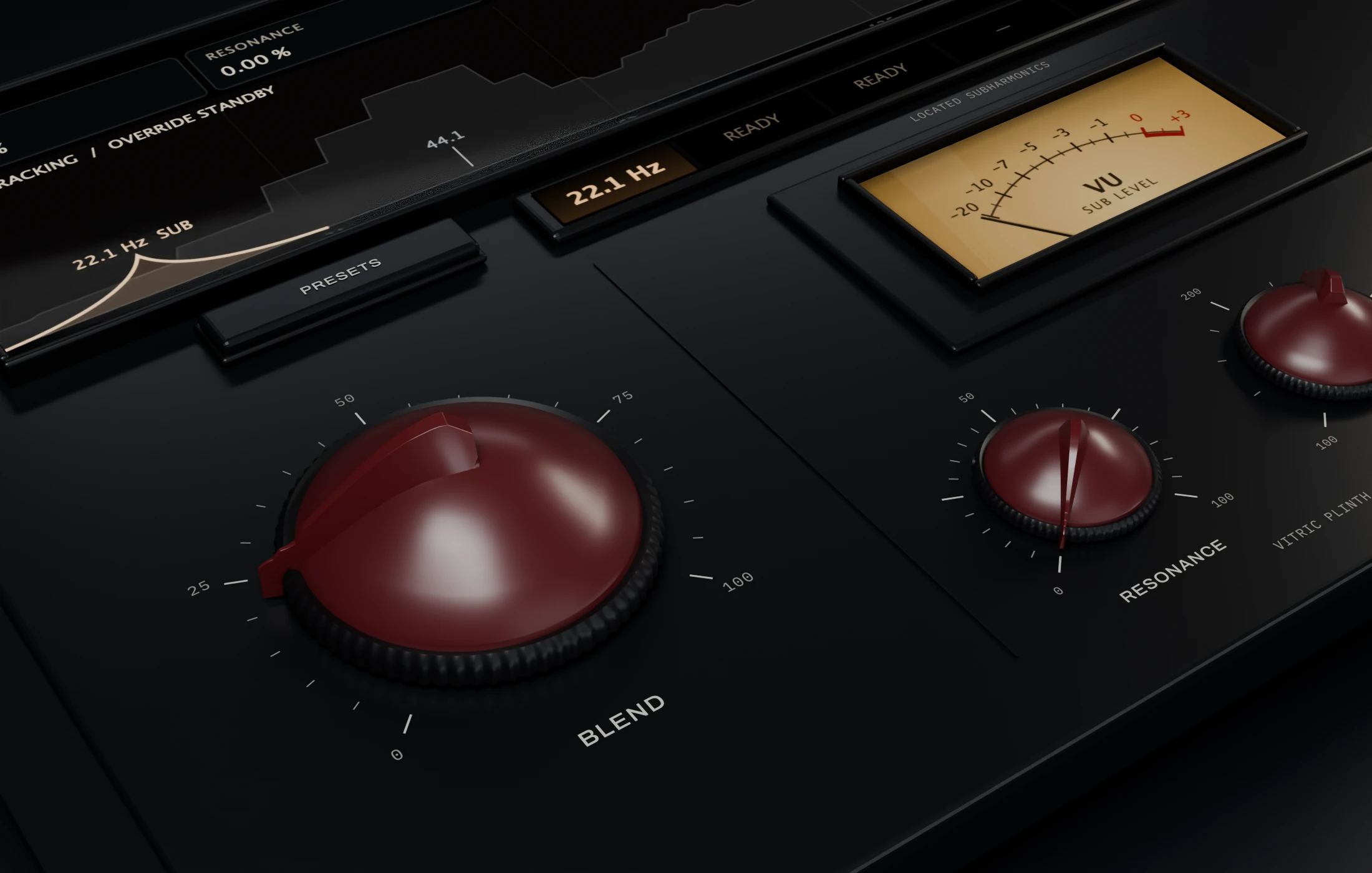
Plinth started as a faceplate drawn by hand at Studio 4 in Cleveland, and the shipped layout follows that sketch. Three notes on it became the rules the plugin is built around: the sub stays in phase with the source; Blend is a volume control, never compression or gain riding; and Blend at 100 puts the sub at the level of the low end it came from.
Blend the peaks in with Volume, not gain or compression.
Why phase matters an octave down
Add two tones an octave apart and the shape of the result depends on how they line up. When the low tone’s peaks land with the upper tone’s peaks, the combined wave swings further; shift the low tone and the same two tones make a different shape with different peaks. A generated tone that runs freely slides against the source, so the combined low end keeps changing shape and peak level as the note goes on. A locked one lines up the same way on every cycle, for as long as the note lasts. That is what in phase means here.
Step one: find the note
Plinth listens to a mono copy of your track, low-passed at the DETECT frequency, which you set between 100 and 500 Hz. The detector only listens; your original signal never passes through it. That copy is reduced to about 6,000 samples a second and examined in windows of about 85 milliseconds, a new look roughly every 11 milliseconds. In each window Plinth compares the signal with delayed copies of itself and finds the delay at which it best repeats. That delay is the length of one cycle of the note. The shortest delay it checks sets a ceiling: Plinth follows fundamentals up to about 385 Hz, and a higher note is read an octave low. It can report up to three notes at once that are not harmonics of each other, which is why Plinth has up to three sub voices.
Counting how often the wave crosses zero is another way to estimate frequency, but a strong second harmonic can add extra crossings and suggest an octave that is not the fundamental. Plinth uses the self-comparison approach and tests it with deliberately awkward material, including a strong second harmonic over a weak fundamental.
One more guard sits on top. Once Plinth has locked to a note, a reading an octave above or below has to keep winning for about 64 milliseconds before Plinth believes it. Small pitch changes are rate-limited to discourage sudden jumps. These safeguards reduce unwanted switching; they do not make every dense mix or fast glide an unambiguous pitch source.
Step two: lock the sub to the source
Each sub voice is a sine wave running at half the detected frequency. Left alone, even a tiny error in the frequency estimate would let it slide against the source. So every time the source wave crosses zero on its way up, the voice checks where it is in its own cycle and steers toward where it should be. Because the sub runs at half speed, it completes half a cycle for every cycle of the source, so its target alternates between the start and the middle of its own cycle. That is the relationship a classic divider circuit produces, held without the jumps.
The steering is gentle on purpose. A correction is spread across about one cycle of the source and limited to 10 degrees per cycle once the voice is locked. While a new note is still fading in, the voice may correct up to 80 degrees per cycle, so the note can align sooner. The test suite checks that relationship over a sustained reference tone. That controlled test is different from tracking every possible recording.
Step three: know when to stay quiet
Not everything in the low band is a note. Plinth smooths its confidence over about 30 milliseconds before a voice may open, so a moment of accidental regularity in noise is less likely to become a burst of sub. A noise test checks this gate separately from the pitched examples.
That caution has a cost on a fresh note: the detector needs several cycles before it has enough evidence to open a voice. Lower notes have longer cycles, so tracking is not instantaneous. This onset behavior is separate from host-reported delay compensation and is a reason to listen to the start of each note, not only its sustain.
The sub’s level follows the level of the detected band, rising in about 5 milliseconds and falling over about 80, so it follows the part’s own dynamics. There is no compressor, ducker or automatic makeup gain in that level control. The generated sub is mono and added equally to the left and right channels.
| Listen to | Check | Adjust |
|---|---|---|
| A sustained bass note | Does the added low end stay steady? | Watch the detected pitch and lower DETECT if unrelated material competes |
| The start of a note | Does the sub arrive late for the part? | Try less Blend or a more isolated source |
| The gaps between notes | Does anything unwanted remain? | Solo the generated signal and inspect the source |
| The bass and kick together | Is extra sub helping, or only raising peaks? | Reduce Blend and compare again at matched loudness |
Hear it
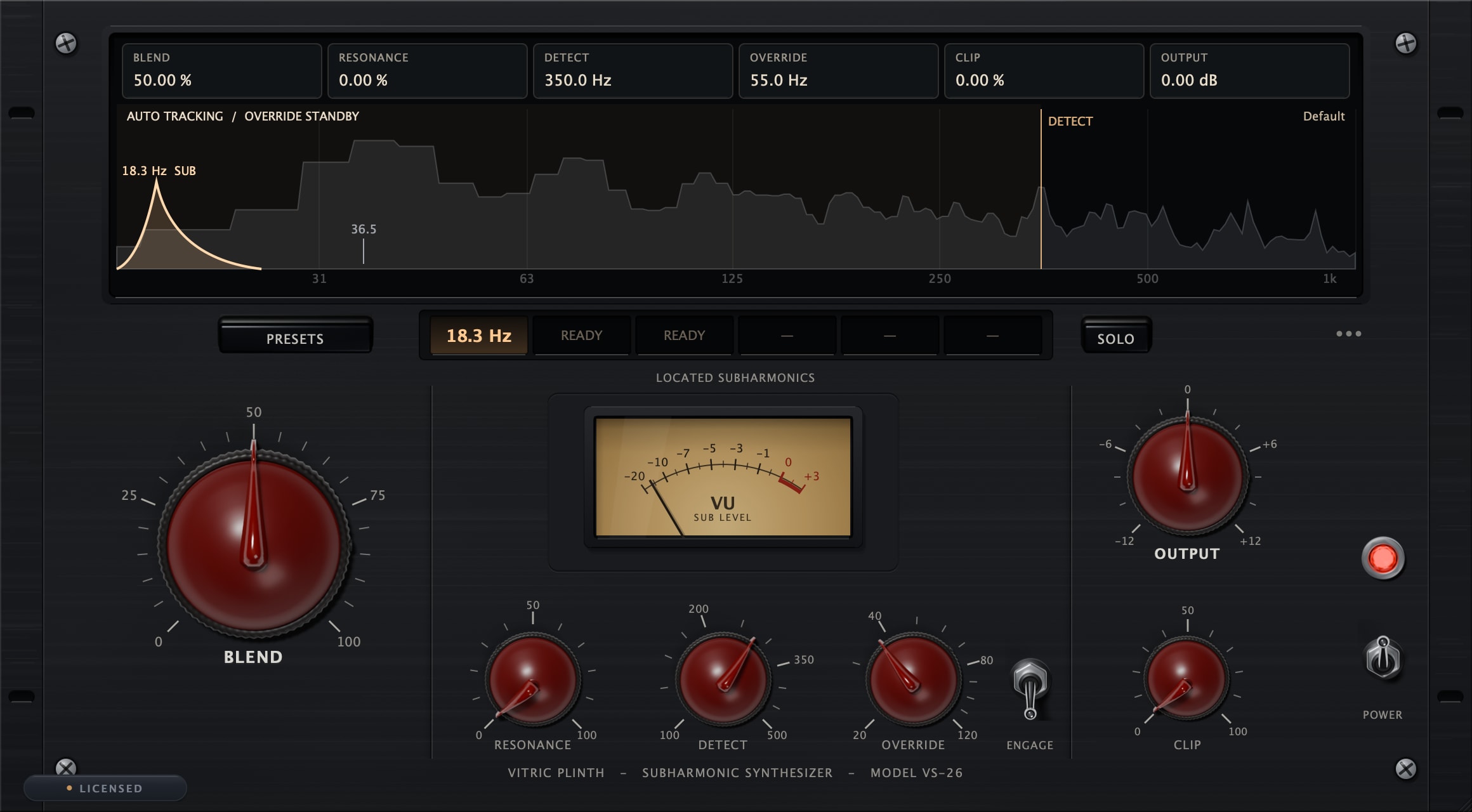
The same 16 seconds of a song, first as the input excerpt, then through Plinth with Blend at 50 percent, DETECT at 350 Hz, and Resonance and Clip at zero. Both clips are matched to the same loudness, so what changes is the added sub, not the volume. Much of it sits below what laptop and phone speakers can play; use headphones or full-range monitors.
Input excerpt
With Plinth, Blend 50%
Using it in a session
Start with DETECT at its 350 Hz default and watch the located frequencies on the screen. If higher material confuses the tracking, bring DETECT down toward the fundamentals you want followed. Raise BLEND until the extra weight fits the part; it adds sub without turning your original down. Press SOLO to hear only what Plinth is adding, then turn it off before you judge the mix. Click a lit frequency chip to mute that voice. For material Plinth cannot follow, ENGAGE pins the frequency by hand with OVERRIDE, and the sub sits one octave below that setting.
Added sub raises peaks. Trim with OUTPUT, and use CLIP only when you want soft clipping on the combined signal. The Plinth manual covers every control. The loudness and true-peak meter can check two exported versions before you choose one.