
Burnish Vocal Chain plugin
Tune, clean up, compress and place a vocal in one window.
Plugin for Mac & Windows.
Try it free on your computer.
A vocal chain plugin for tuning, cleanup, compression and space in one window. Start with six PLAY macros, then open DESIGN to edit eight processing stages. Play it a take so it measures your voice, then analyze a reference locally for a starting point.
Sale price
Pay by card, PayPal, Apple Pay or Google Pay.
By buying, you agree to the EULA and Terms of Service.
Try free for 3 daysOne-time purchase · 3 computers at a time · 14-day money-back guarantee
Instant download: your license key arrives by email right after payment.
Or get all 12 with Vitric Access, $20 a month
Secure checkout by Paddle. No card required for the trial.
Mac & Windows · VST3, AU and AAX · version 1.2.0
Prices in US dollars. Checkout charges in your local currency where available. US and Canadian sales tax is added at checkout. In the EU, UK, Japan and Australia, tax is already included.
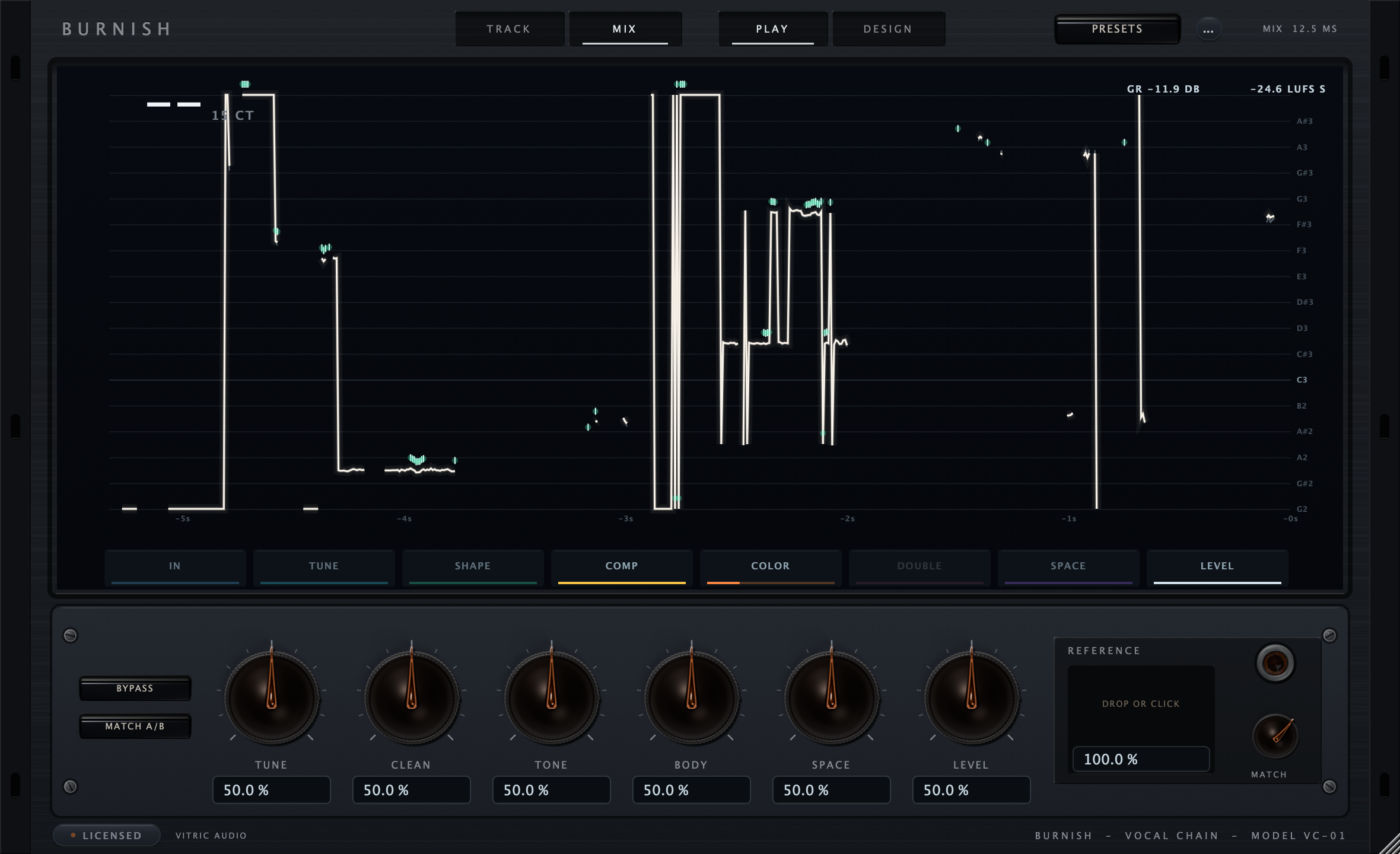
The trial uses the full plugin. Install it in your DAW, then start the 3-day trial from its license screen. No card required.
Read the Burnish manualIN MOTION
Burnish, running.
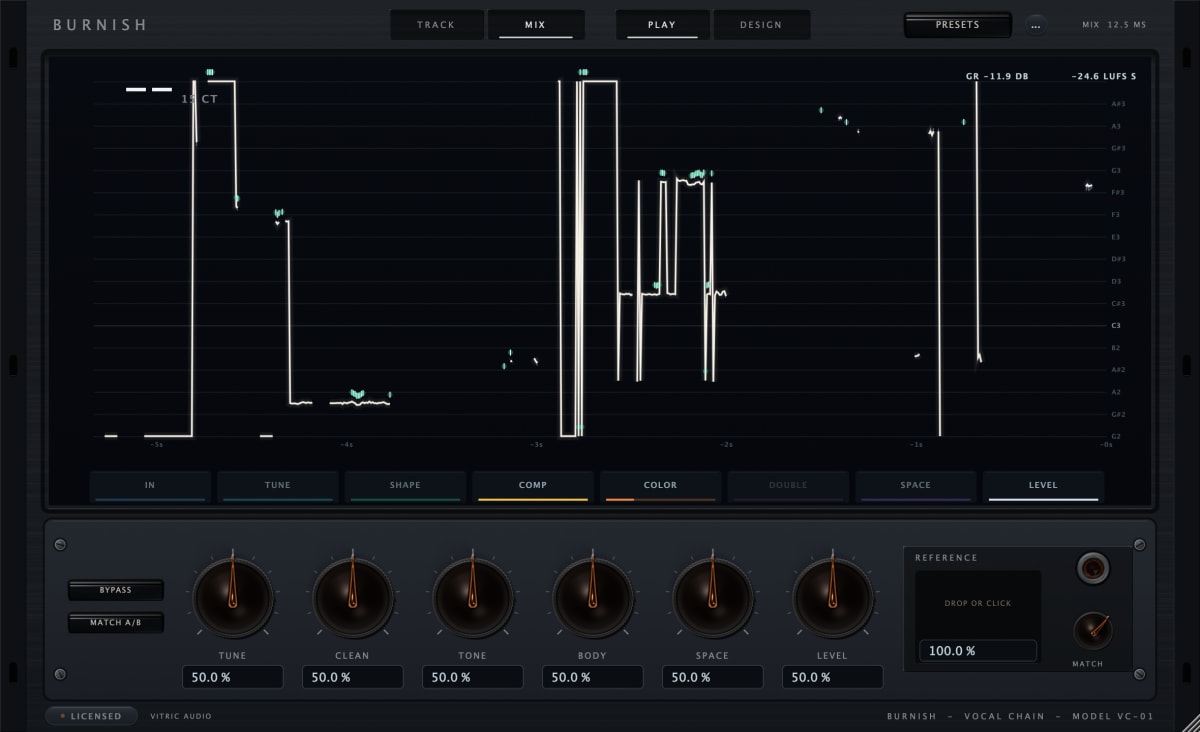
IN YOUR SESSION
Keep the whole vocal chain in view.
Set the target notes, shape the tone, control the peaks and place the vocal without moving between plugin windows. Burnish runs eight stations in a fixed order, with a scope for each and exact values when you need a precise adjustment. Start with a factory chain or import a reference recording. Press LEARN and play a take, and Burnish measures your voice so the reference fit starts from you, with every move explained. MATCH scales the fit from 0 to 150%, and MATCH 0 gives back the chain you had before it. Use MATCH A/B for a level-matched dry comparison.
A CLOSER LOOK
Inside Burnish.
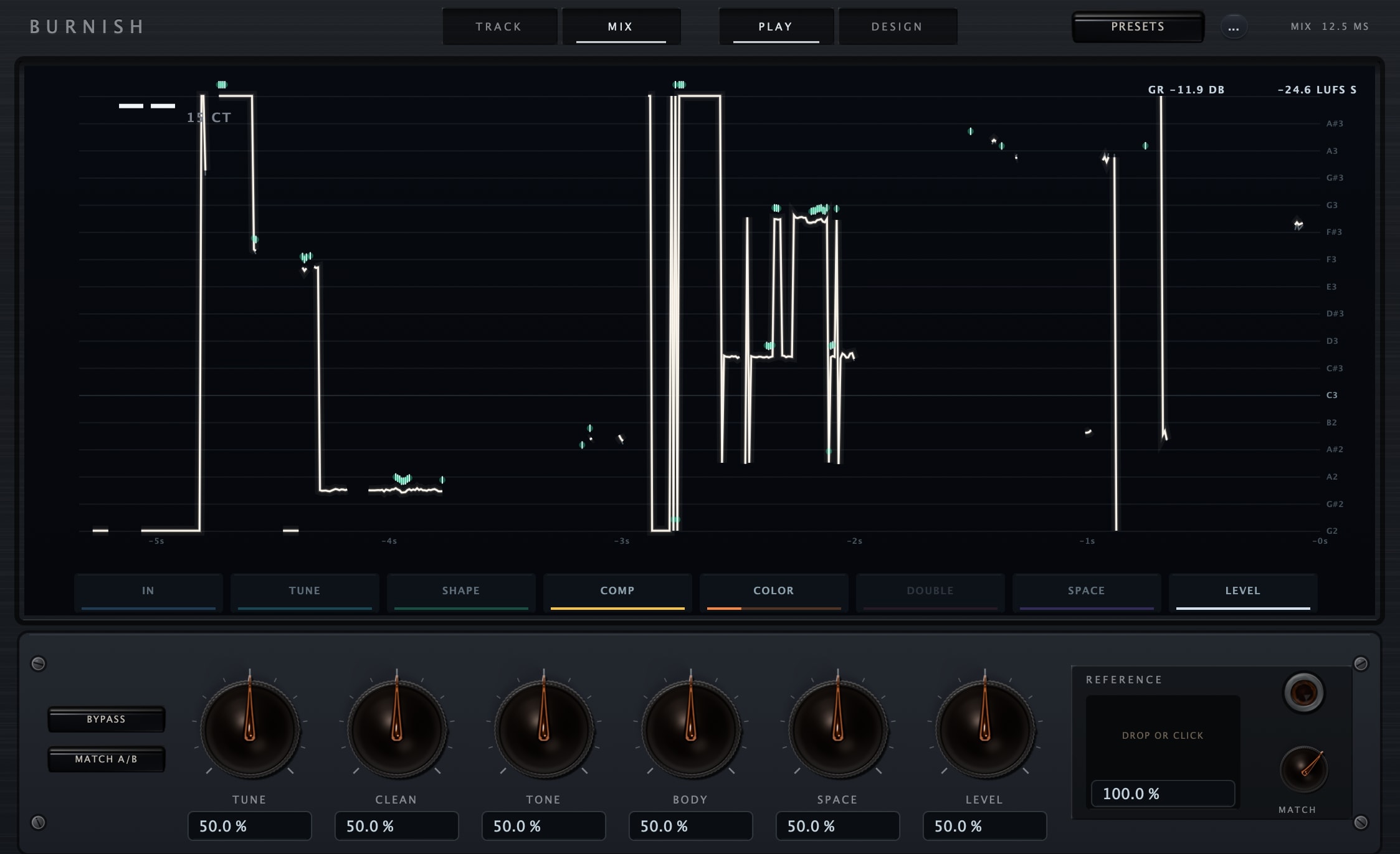
The vocal trace
See the incoming and corrected pitch against the note targets, with gain reduction and short-term loudness on the same screen.
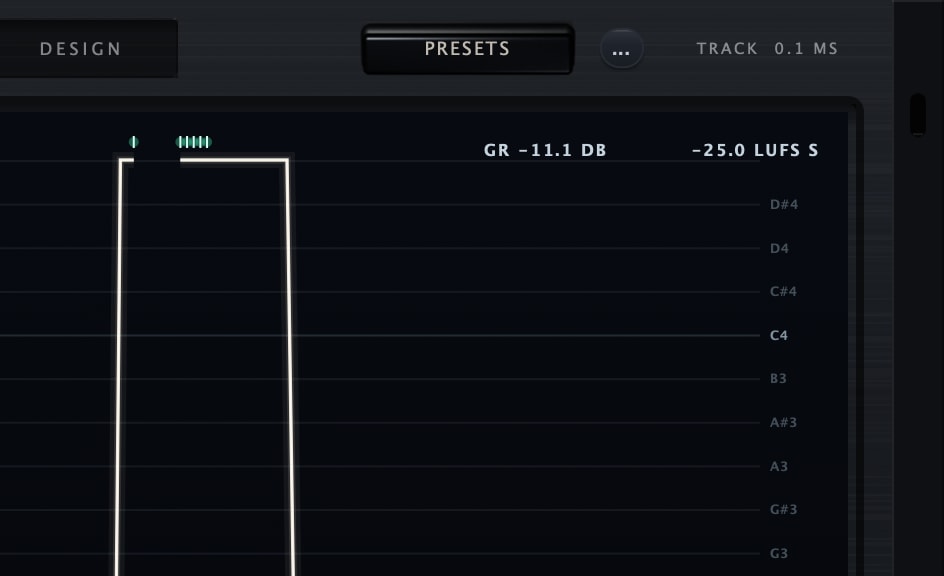
Track mode, low latency
TRACK forces Classic tuning and removes gate lookahead. The header reports four samples, displayed as 0.1 ms at 48 kHz.
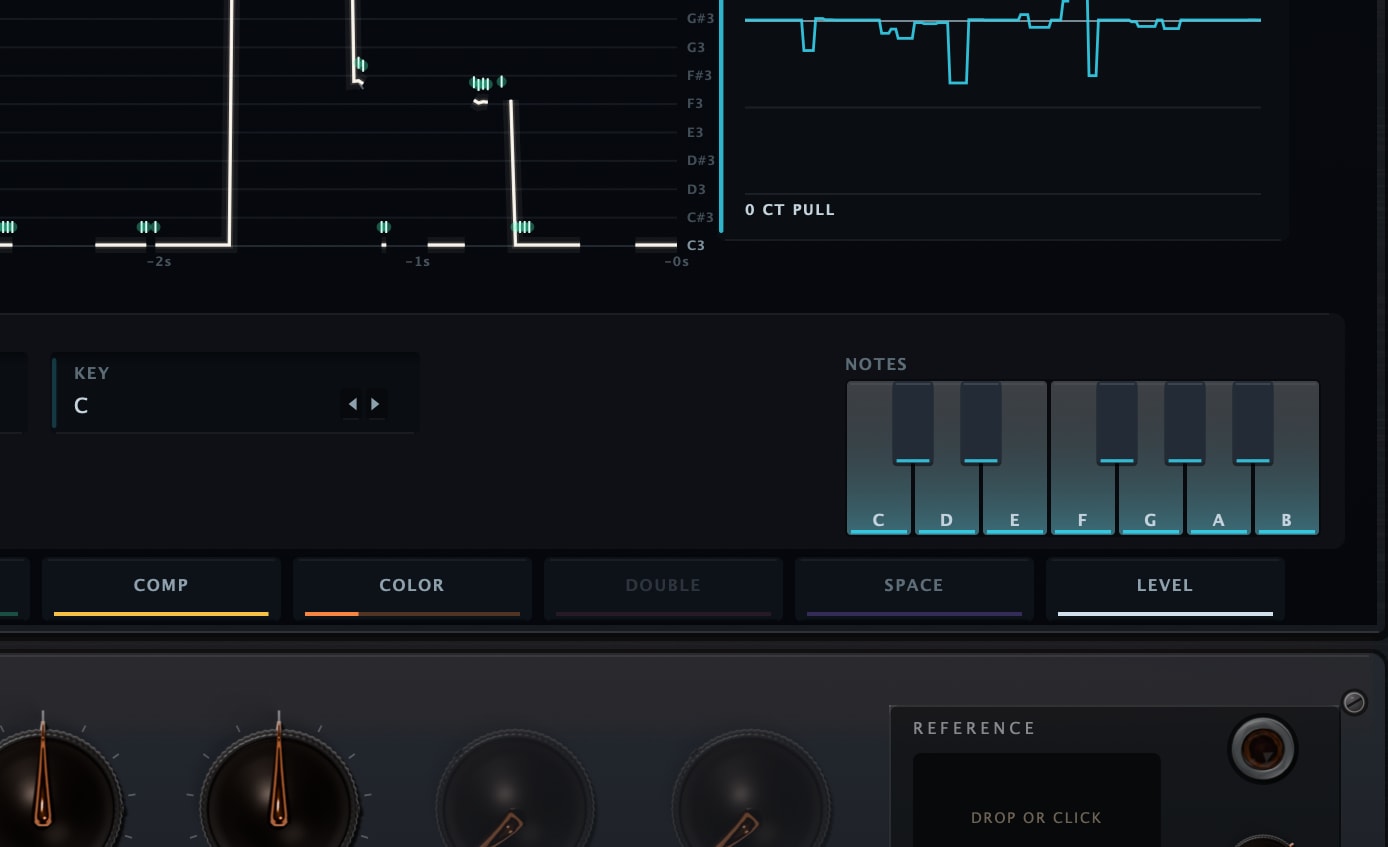
The TUNE station
Select TUNE to choose Key, Scale and the allowed notes. Set correction Amount, Speed and Humanize on the deck; use Natural in MIX for Throat control.
All features & controls
- Eight stations: IN, TUNE, SHAPE, COMP, COLOR, DOUBLE, SPACE and LEVEL
- PLAY macros for Tune, Clean, Tone, Body, Space and Level; DESIGN exposes individual controls
- A scope for each station, plus exact numeric entry on deck and screen controls
- TRACK forces Classic tuning and removes gate lookahead; four samples of reported plugin latency
- MIX supports Natural tuning; the header reports the configured latency, including enabled gate lookahead
- Classic and Natural tuning with key, scale and individual note targets; Throat is available in Natural
- Local background analysis of an acapella or full-mix reference, plus LEARN, which measures your own take on the track (about 10 seconds of singing, never stored)
- Reference profiles describe tone, dynamics, sibilance, estimated space and tuning style
- MATCH 0–150% scales the reference fit from the chain you had before it, and 0 restores that chain; MATCH A/B provides a level-matched dry comparison
- Five-band EQ, a de-harsh that follows the vocal level and a de-esser that cuts the band it detects
- FET into Opto compression, with separate automatic and manual controls
- Tape, Tube and Present saturation with a separate Air section
- Two or four doubled voices with detune, timing, per-voice tone tilt (FORMANT), width and level controls
- Delay and reverb with separate vocal ducking
- Short-term loudness rider, safety limiter and final output trim
- 66 factory chains, including 12 Learn presets; save your own chains as presets; settings also save with the DAW project
- Songs saved in earlier versions keep their original sound; new instances use the 1.2 voicing
- Mono or stereo input, stereo output; tuning is designed for a single vocal line
- Windows 10+ 64-bit: VST3 and AAX. macOS Intel and Apple Silicon: AU, VST3 and AAX
A scope on every station
Select COMP to watch gain reduction and read the FET and Opto stages together. Their separate enables and blends let you adjust each compressor.
Exact values, typed
Click a deck or screen value to type a setting. Return commits and Escape cancels. Extra pages expose each EQ band, both compressors, delay and reverb.
The reference well
Drop or browse for a reference file, then press LEARN and play your take. About ten seconds of singing is measured locally and never stored. The fit starts from your voice; MATCH scales it from 0–150%.
Eight stations in a fixed signal order
| Station | What runs there | Start here |
|---|---|---|
| IN | Input trim, high-pass filter, gate, breath control and cleanup | Prepare the signal and reduce noise between phrases. |
| TUNE | Classic or Natural correction, key, scale, note targets and Throat | Choose the target notes before adjusting correction strength. |
| SHAPE | Five-band EQ, then de-harsh and de-ess | Shape the tone and control harsh or sibilant regions. |
| COMP | FET into Opto, with separate enables and blends | Control peaks, then adjust broader leveling. |
| COLOR | Tape, Tube or Present saturation, plus a separate Air section | Set the drive and blend, then recheck sibilance. |
| DOUBLE | Two or four voices with detune, timing, tone tilt, width and level controls | Add width around the lead and check the result in mono. |
| SPACE | Delay and reverb with separate mixes and vocal ducking | Keep the words clear while letting tails fill the gaps. |
| LEVEL | Loudness rider, safety limiter and output trim | Balance phrases and check the output peaks. |
Put it to work.
Tracking a lead vocal
Choose TRACK for Classic tuning without gate lookahead. The plugin reports four samples of latency, about 0.1 ms at 48 kHz. While Classic is correcting a note the sound is delayed a little more, about 3 ms typically. Your interface buffer and other plugins also affect monitoring delay.
Starting from a reference
Import an acapella or a full mix, press LEARN and play your take, then read the reference card, set MATCH and refine the chain. A full mix is read through its centre and a vocal-band filter, so instruments stay in the measurement; a mix moves tone only.
Find a useful starting chain
Browse 66 factory chains by style, then choose the key, tuning path and space for the take. A chain plays exactly as authored. Loading one keeps your TRACK/MIX mode, bypass and MATCH A/B, and returns the trims and PLAY macros to their center positions.
Learn the processors
Twelve Learn presets focus on controls such as tuning, de-essing, compression and ducked space. Open DESIGN to compare the individual processors and hear how they work together.
THE DETAILS
Fits your setup.
- Modes
- Track · Mix
- Tuning
- Classic · Natural with Throat in Mix
- Stations
- 8, in a fixed signal order
- Reference
- Local file analysis · LEARN your voice · explained fits · MATCH 0–150%
- Presets
- 66 factory chains, including 12 Learn; save your own
- Macros
- 6 in PLAY; individual controls in DESIGN
- Input
- Mono or stereo in, stereo out
- Latency
- Track: 4 samples. Mix: 12.5 ms with Natural, plus 5 ms when the gate is enabled.
- Formats
- VST3 and AAX on macOS and Windows · AU on macOS
- Platforms
- Windows 10+ (64-bit) · macOS 10.15+ Intel / 11+ Apple Silicon
- Made in
- USA
- Windows
- Windows 10 or later, 64-bit. VST3, AAX, Standalone.
- macOS
- macOS 10.15 or later on Intel; macOS 11 or later on Apple Silicon. AU, VST3, AAX.
- Hosts
- A 64-bit host supporting your platform’s plugin format. Your DAW may require a newer operating system.
Use it in Pro Tools, Logic Pro, Ableton Live, Cubase, Studio One, FL Studio, REAPER, Bitwig Studio, and other compatible hosts.
Find the right format for your DAWQuestions about Burnish.
Does a reference make my vocal sound identical to the record?
No. Reference analysis applies starting settings and explains the fit. Set MATCH, then adjust the individual controls for your vocal and arrangement. MATCH scales the fit from the chain you had before it; it is not a wet/dry control or an undo of earlier edits.
What does LEARN do?
Press LEARN and play your take through the track. Burnish measures your voice for about ten seconds of singing, so the tone, dynamics and de-ess moves of a reference fit start from your voice instead of a generic template. It needs at least four seconds of voice. The audio is not stored or saved; only the measurements are kept with the project. Without a measured take, a reference moves only tuning style and space, and the plugin says so.
Will my old sessions sound different?
No. Sessions saved by 1.1.11 or earlier keep their original sound for the settings that were re-tuned in 1.2. New instances and new saves use the 1.2 voicing. Plain defects, such as the de-esser boosting esses, clicks and Shape or Compress results that changed with the buffer size, are fixed for every session.
Does reference analysis send audio anywhere?
No. Reference audio is analyzed locally on your computer; it is not uploaded for analysis.
Can I track through it?
Yes. TRACK forces Classic tuning and removes gate lookahead, with four samples of reported plugin latency, about 0.1 ms at 48 kHz. Your DAW buffer, audio interface and other plugins contribute to the total monitoring delay. MIX reports its configured latency in the header.
Can I use it on a group or a polyphonic part?
Burnish accepts mono or stereo input and produces stereo output. Its tuning is designed for a single vocal line. Use separate instances when different singers need independent pitch correction. On a mono track in Cubase, Nuendo or Studio One the track stays mono after the plugin, so the doubler and ping-pong width collapse; use a stereo track for width.
Which formats and platforms?
VST3 and AAX on Windows 10 or later, 64-bit. AU, VST3 and AAX on macOS, with Intel and Apple Silicon support. Choose the format your DAW loads and check Downloads for current installers.
Is there a free trial?
Yes. Every released Vitric plugin has a free 3 day trial with every feature available during the trial window. Trials need a live internet connection; the plugin checks in every few minutes. Purchased perpetual licenses work offline. Get the installer from the downloads page and request your machine-bound trial license on the trial page. At the signed expiry the plugin’s output goes silent until you install a purchased license or a valid subscription grant. The plugin can still load, so projects and saved settings are not deleted.
Own Burnish Vocal Chain? Leave a verified review from your account.
FREE STUDIO TOOLS
Work out the next move.
Measure a mix or find a starting point. These tools run in your browser, with no account required.
GUIDES & JOURNAL
The technique behind Burnish.
Practical explanations, build stories and examples to try in your own session.
PART OF THE COLLECTION
Burnish, in a bundle.
Burnish is included in these bundles. Compare their contents and current offers.
Find its next partner.
Explore all plugins
Hear it in your own session.
Burnish. $79, or try it free for 3 days.
By buying, you agree to the EULA and Terms of Service.
Try free for 3 daysOne-time purchase · 3 computers at a time · 14-day money-back guarantee
Instant download: your license key arrives by email right after payment.
Or get all 12 with Vitric Access, $20 a month