
Caliper Compressor FET compressor plugin with opto, tube and clean modes
Shape punch and level performances with four compressor characters.
Plugin for Mac & Windows.
Try it free on your computer.
Hear the demo. Loudness matched.
About this demo
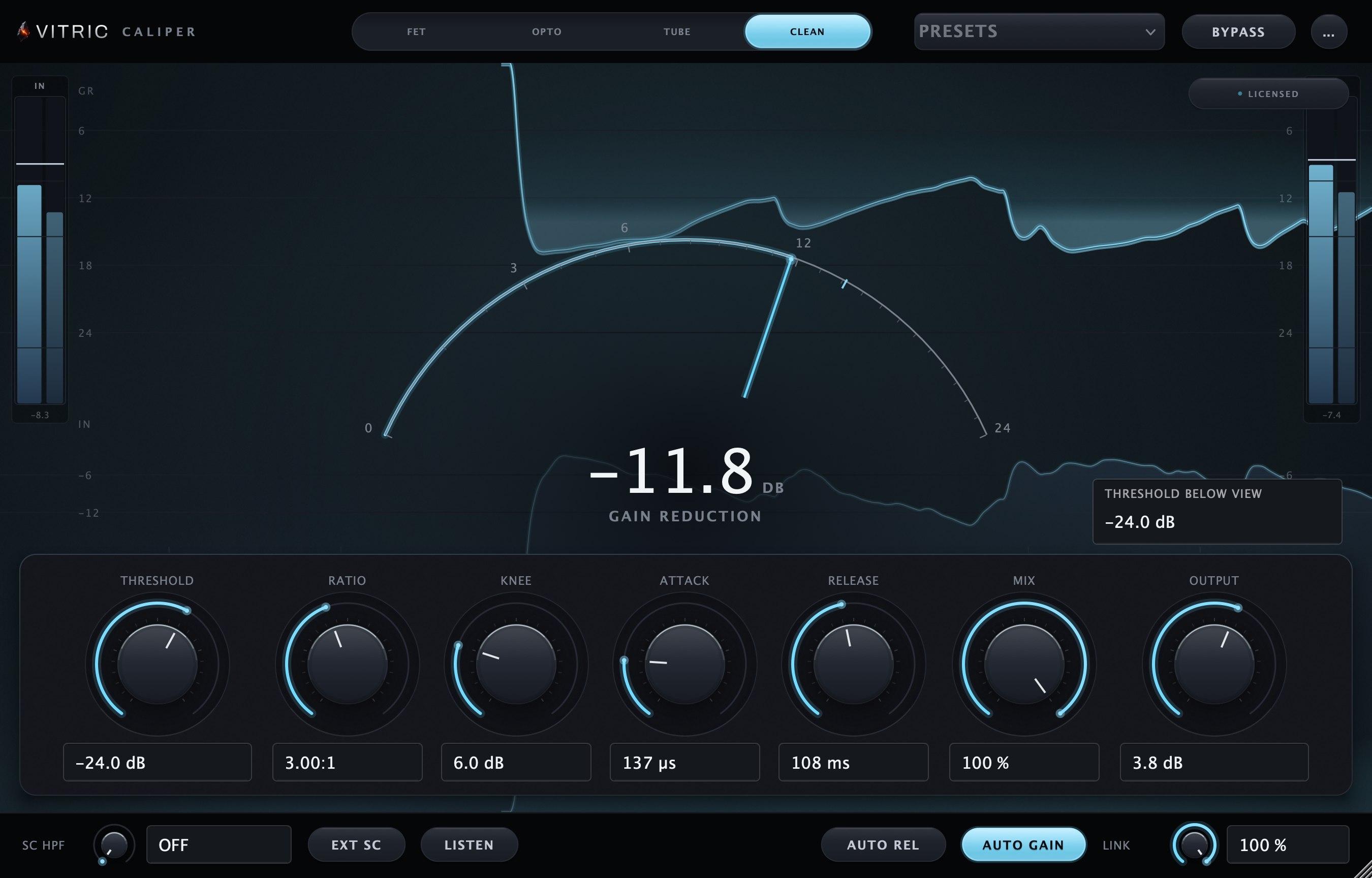
Clean mode, 4:1 from a −20 dB threshold, slow attack, sidechain high-pass at 60 Hz: about 6 dB of gain reduction on the hits.
Rendered through Caliper Compressor 1.1.11 on macOS. Input and processed excerpts are matched in loudness. Switching keeps your place.
Open input audio ↗Open processed audio ↗A FET compressor plugin with three more characters: Opto for vocal leveling, Tube for a rounded response and Clean for transparent control. Compare modes with parallel mix and sidechain controls in one window.
Sale price
Pay by card, PayPal, Apple Pay or Google Pay.
By buying, you agree to the EULA and Terms of Service.
Try free for 3 daysOne-time purchase · 3 computers at a time · 14-day money-back guarantee
Instant download: your license key arrives by email right after payment.
Or get all 12 with Vitric Access, $20 a month
Secure checkout by Paddle. No card required for the trial.
Mac & Windows · VST3, AU and AAX · version 1.1.11
Prices in US dollars. Checkout charges in your local currency where available. US and Canadian sales tax is added at checkout. In the EU, UK, Japan and Australia, tax is already included.
The trial uses the full plugin. Install it in your DAW, then start the 3-day trial from its license screen. No card required.
Read the Caliper manualTHE LISTENING ROOM
Listen to Caliper.
One performance. Two perspectives. Loudness matched.
Clean mode, 4:1 from a −20 dB threshold, slow attack, sidechain high-pass at 60 Hz: about 6 dB of gain reduction on the hits.
About this demo
Rendered through Caliper Compressor 1.1.11 on macOS. Input and processed excerpts are matched in loudness. Switching keeps your place.
Open input audio ↗Open processed audio ↗IN MOTION
Caliper, running.
IN YOUR SESSION
Find the right grip for the track.
Use FET to grab a transient, Opto to ride a vocal, Tube to settle a bus or Clean for control without added color. Each mode presents the controls its circuit uses; Mix, output and the sidechain utilities stay close at hand.
A CLOSER LOOK
Inside Caliper.
FET, all buttons in
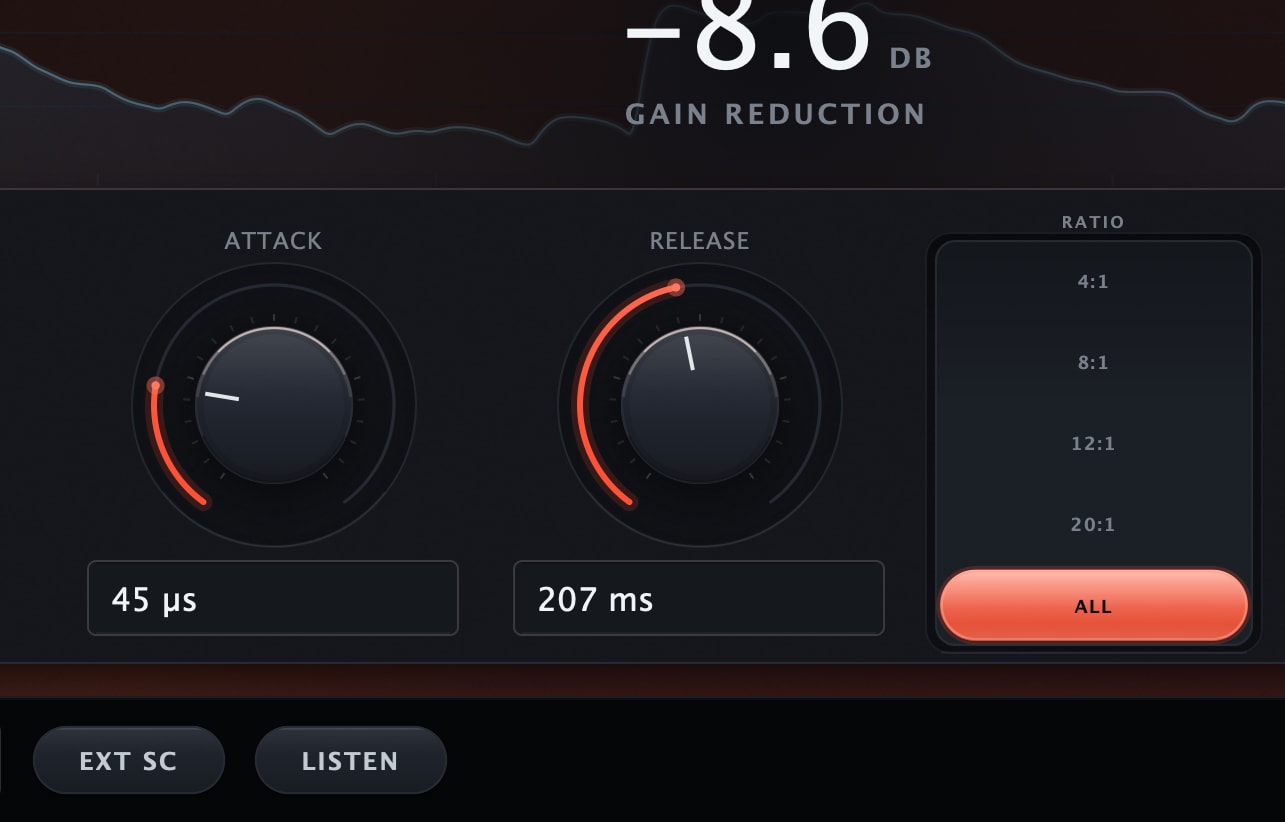
FET drives Input into a fixed −20 dB threshold. Its ratio stack reads 4, 8, 12, 20 and ALL, and ALL is 16:1 with a 10 dB knee.
Opto, one knob
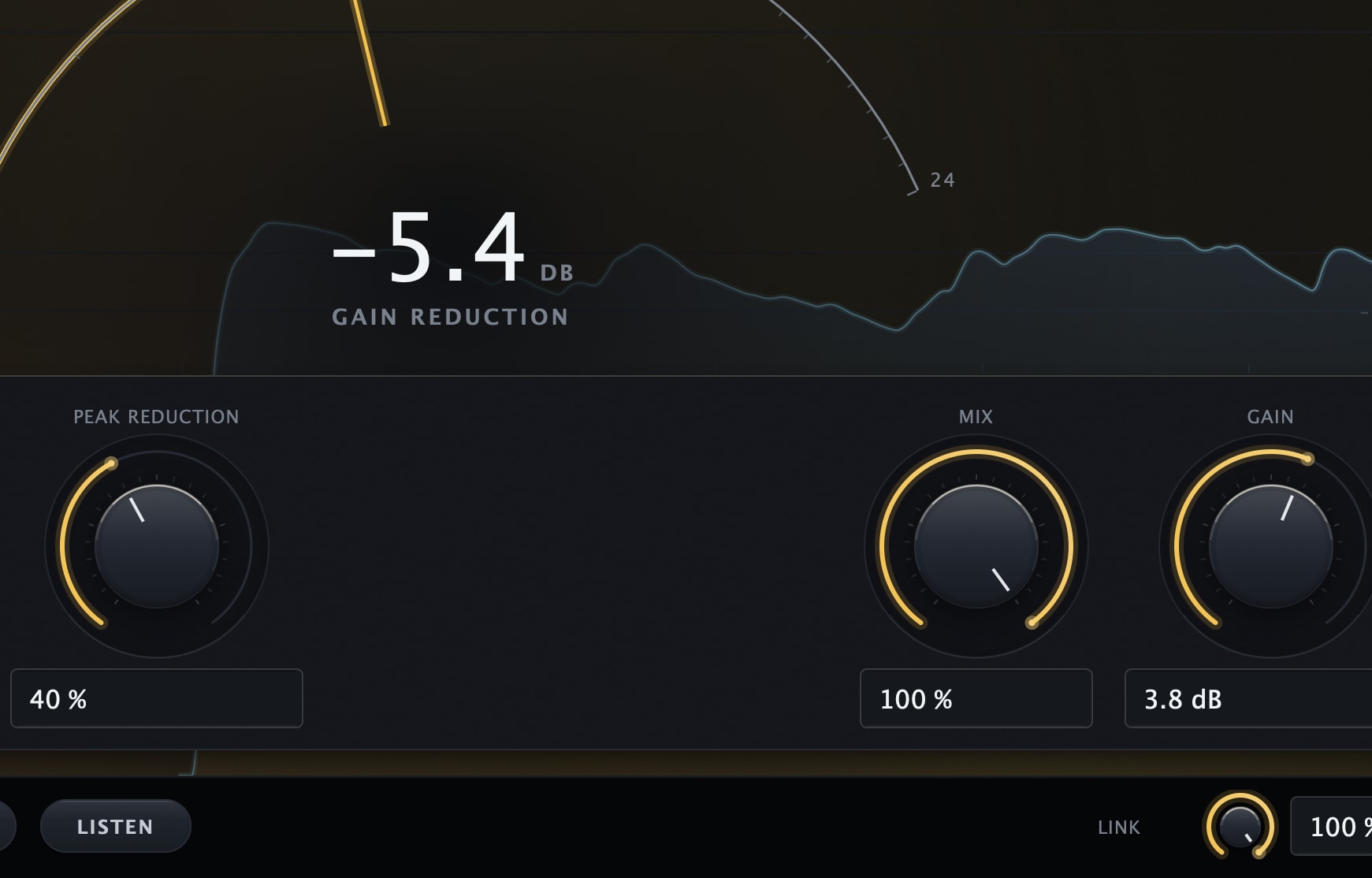
Opto centers its compression on Peak Reduction, alongside Mix and output Gain. Its fixed attack and two-stage release handle timing while you set how hard the detector works.
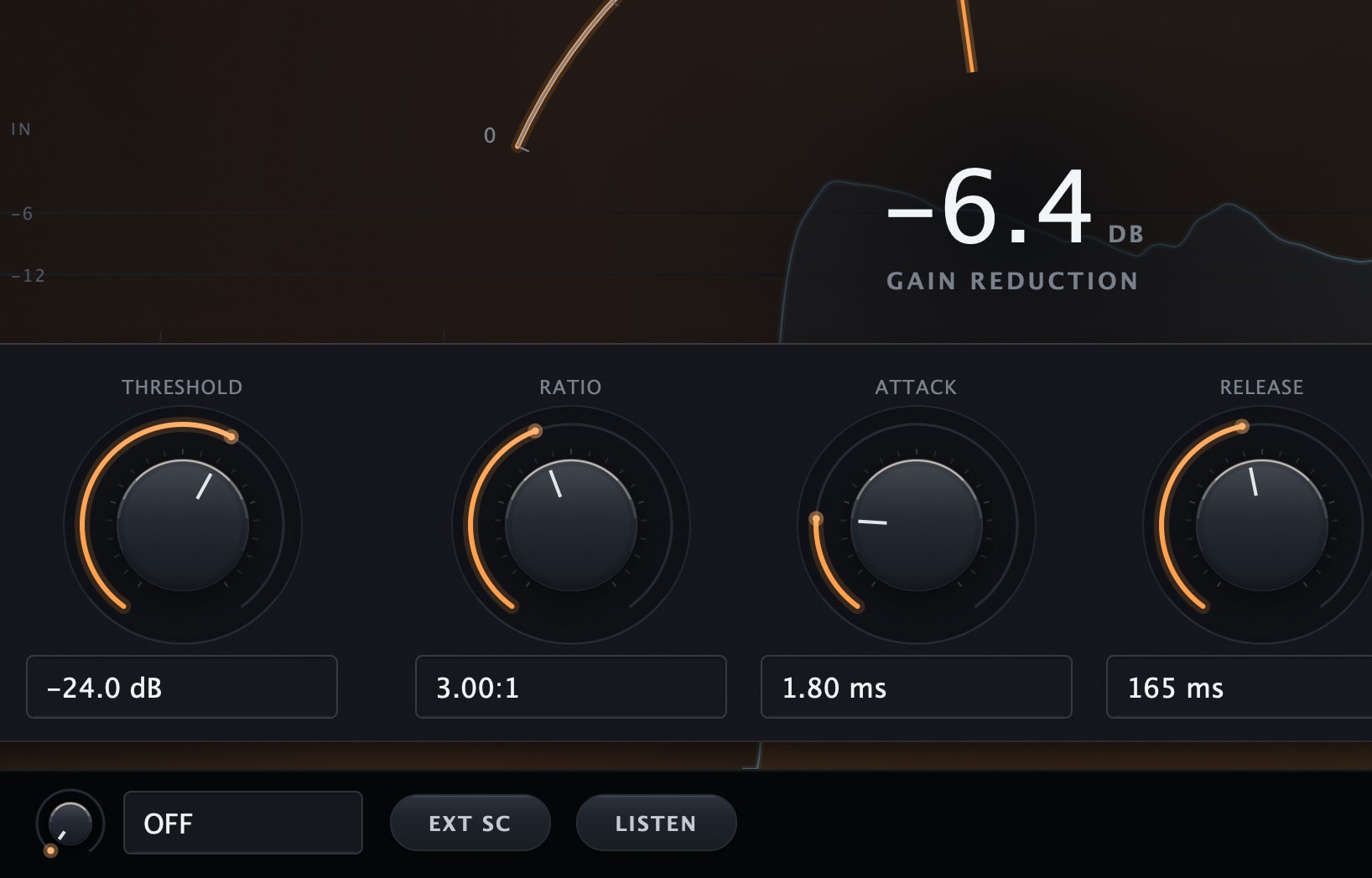
Tube, wide knee
Tube keeps threshold and a 1.5 to 10:1 ratio, fixes the knee at 10 dB, and runs 0.5 to 300 ms of attack. Auto Gain makes up the level.
All features & controls
- FET, Opto, Tube and Clean compression characters
- Circuit-specific controls, with stable Mix and output positions
- FET ratios 4:1, 8:1, 12:1, 20:1 and ALL
- Opto Peak Reduction with fixed attack and two-stage release
- Tube ratio 1.5 to 10:1 with Auto Gain; Clean Auto Gain and AUTO release
- Exact physical-time entry for the current mode, FET ALL included: 14 to 560 µs attack, 30 to 660 ms release
- Internal/external detector, high-pass and Listen
- Sidechain HPF OFF at minimum; 22 Hz is the first active value
- Stereo link 0–100%; zero added processing latency
- Input history, gain reduction and level meters
Clean, exact knee math
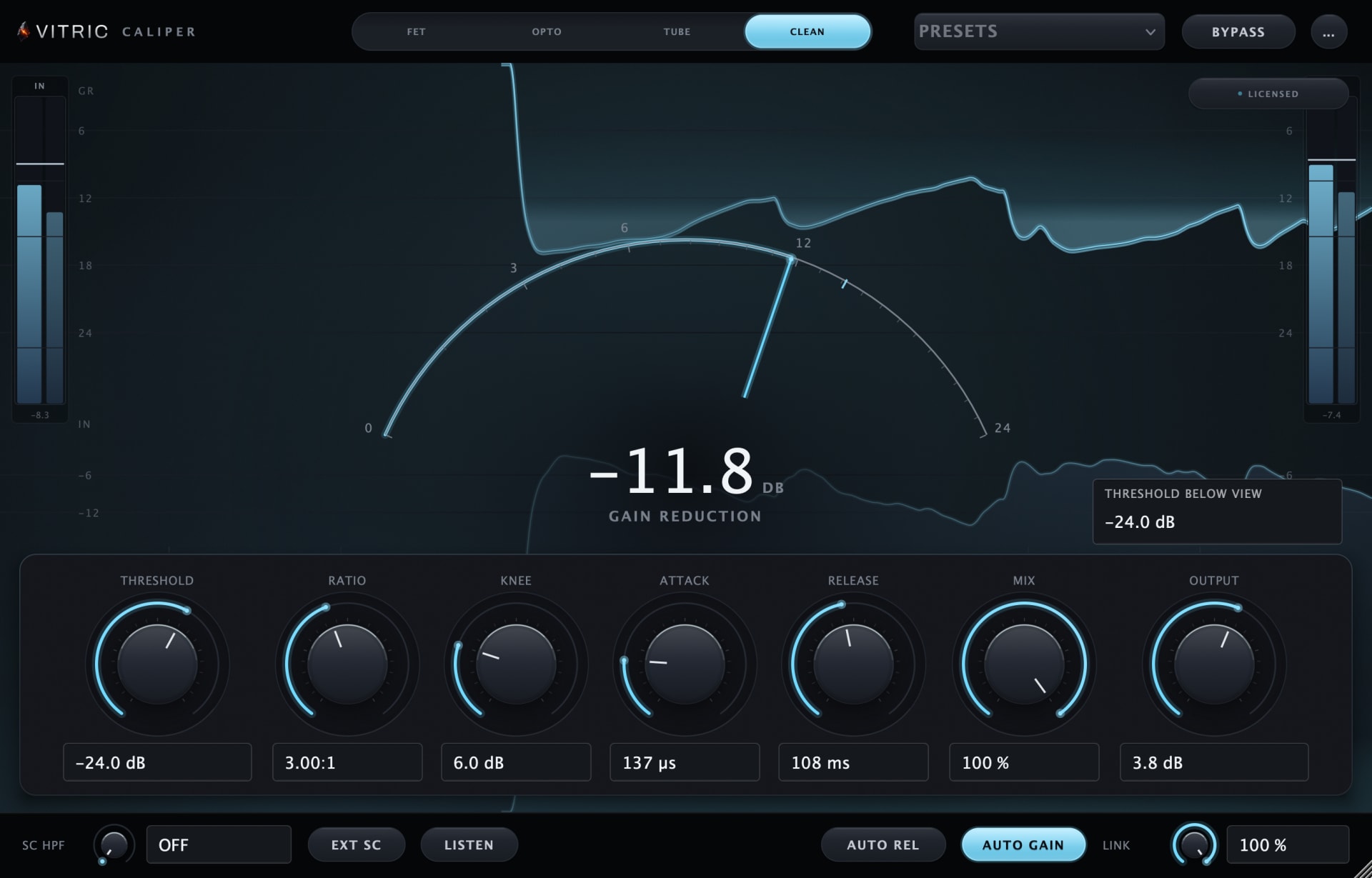
Clean is feedforward with textbook knee math: a 0 to 24 dB knee, attack from 0.02 ms, and an Auto Rel chip no other machine carries.
Set the timing you hear
Click an attack or release value and enter a time in µs, ms or seconds. Return applies and Escape cancels. Clean’s AUTO release retains the manual value for when you turn AUTO off. In FET with ALL selected, the values shown are the faster times ALL runs: 14 to 560 µs of attack and 30 to 660 ms of release.
Gain reduction, full width
One display, no panels: input history, the reduction curtain, a needle on a 0 to 24 dB arc, and the reduction in tenths of a dB.
Choose a compression character
| Mode | Character | Main controls |
|---|---|---|
| FET | Fast feedback compression with drive-dependent grit | Input, 4/8/12/20 ratios or ALL, attack and release |
| Opto | Smooth leveling with two-stage release | Peak Reduction, Gain and Mix; fixed timing |
| Tube | Feedback compression with a wide soft knee | Threshold, ratio, attack, release and Auto Gain |
| Clean | Transparent feedforward compression | Threshold, ratio, variable knee, attack and manual/AUTO release |
Put it to work.
Drum bus punch
Start with FET at 4:1, then adjust attack and release to hear how it catches the kit. Use Mix for parallel compression.
Vocal leveling
Opto’s Peak Reduction drives its detector while the two-stage release follows the phrase. Use Gain to set the output level.
Mix bus glue
Use Tube’s soft knee for a gentle bus move, then compare the result with bypass at a similar level.
A controlled low end
Raise the detector high-pass when bass is driving too much compression, or select an external sidechain where your host supports routing.
THE DETAILS
Fits your setup.
- Modes
- FET · Opto · Tube · Clean
- Sidechain
- Internal / external, HPF, listen
- Stereo link
- 0 to 100 %, louder-channel detector
- Latency
- Zero
- Formats
- VST3 and AAX on macOS and Windows · AU on macOS
- Platforms
- Windows 10+ (64-bit) · macOS 10.15+ Intel / 11+ Apple Silicon
- Made in
- USA
- Windows
- Windows 10 or later, 64-bit. VST3, AAX, Standalone.
- macOS
- macOS 10.15 or later on Intel; macOS 11 or later on Apple Silicon. AU, VST3, AAX.
- Hosts
- A 64-bit host supporting your platform’s plugin format. Your DAW may require a newer operating system.
Use it in Pro Tools, Logic Pro, Ableton Live, Cubase, Studio One, FL Studio, REAPER, Bitwig Studio, and other compatible hosts.
Find the right format for your DAWQuestions about Caliper.
How do I choose a mode?
FET offers fast, driven compression; Opto provides smoother leveling; Tube has a wide soft knee; Clean is a transparent feedforward design. Audition them on your track at a similar output level.
Why do some controls disappear when I change modes?
Each circuit uses different controls. FET is driven by Input; Opto uses Peak Reduction and fixed timing; Tube and Clean expose threshold and ratio, with variable knee in Clean. Mix and output keep their positions.
How does Clean AUTO release work?
AUTO uses automatic release behavior and retains the stored manual release value. Turn AUTO off to return to that value.
Why does the sidechain filter read OFF?
The filter is bypassed at its minimum; 22 Hz is the first active value. Type OFF to bypass it. Use Listen to check the detector signal.
Own Caliper Compressor? Leave a verified review from your account.
FREE STUDIO TOOLS
Work out the next move.
Measure a mix or find a starting point. These tools run in your browser, with no account required.
GUIDES & JOURNAL
The technique behind Caliper.
Practical explanations, build stories and examples to try in your own session.
- How to compress vocals: settings for ratio, attack, release and gain reduction
- How loud should a master be for streaming? LUFS targets explained
- Dynamic range compression, explained
- FET vs opto compressor: choosing the right response
- Zero latency compression: when plugin delay actually matters
- Saturation before or after compression?
- How to use a multiband compressor without smearing your mix
- Detector-only saturation: make a compressor hear differently
PART OF THE COLLECTION
Caliper, in a bundle.
Caliper is included in these bundles. Compare their contents and current offers.
Find its next partner.
Explore all plugins
Hear it in your own session.
Caliper. $39, or try it free for 3 days.
By buying, you agree to the EULA and Terms of Service.
Try free for 3 daysOne-time purchase · 3 computers at a time · 14-day money-back guarantee
Instant download: your license key arrives by email right after payment.
Or get all 12 with Vitric Access, $20 a month