Limiter vs clipper: what each does to your master, and when to use both
A clipper reshapes the waveform instantly; a limiter turns the gain down over time. Learn what each does to drums and bass, hard vs soft clipping, and how to run a clipper into a limiter.
A clipper and a limiter both stop peaks, but they do it in opposite ways. A clipper changes the shape of the waveform, sample by sample, the instant it crosses the threshold. A limiter changes the gain, over a span of time, with an attack and a release. That one difference decides what you hear: clipping adds distortion to the loudest moments, and limiting turns the music around each peak down along with it.
What does a clipper do?
A hard clipper sets every sample above its threshold to the threshold. There is no attack time, no release time and no lookahead: each sample is judged on its own, so nothing before or after the peak changes level. A basic clipper adds no latency.
The cost is the shape. Flattening the top of a wave adds harmonics that were not in the source, which is distortion by definition. The deeper the clipping, the more harmonics and the higher they reach. A soft clipper bends the curve gradually toward the threshold instead of cutting it flat. It starts changing the wave a little earlier and a little more gently, which puts less energy into the highest harmonics at the moment clipping begins. Hard clipping tends to sound more aggressive, soft clipping rounder.
Two technical details matter on a master. First, harmonics generated above half the sample rate cannot be stored, and in a plain digital clipper they fold back down into the audible range as tones that are not musically related to the source. Oversampling the clipper reduces this aliasing. Second, a clipper that works at the file's own sample rate holds the sample peaks, not the true peaks: a flattened top, reconstructed by a converter, can overshoot the threshold between samples. A clipper alone is not a reliable true-peak ceiling. The true peak vs sample peak guide explains why.
What does a limiter do?
A limiter measures the level and reduces the gain whenever the signal would cross the ceiling. It acts like a compressor with a ratio so high that nothing gets past the ceiling. Most mastering limiters look ahead: they delay the audio slightly so the gain can start falling before the peak arrives, then release it back over tens or hundreds of milliseconds. A true-peak limiter detects peaks on an oversampled version of the signal so it can hold a dBTP ceiling.
Because it works on gain, a limiter changes no individual waveform shape the way a clipper does, as long as the gain moves slowly compared with the waveform. Its side effects come from time. Everything playing during a gain reduction gets quieter with the peak, so a loud kick can duck the bass and vocal under it, and a short release on heavy limiting is heard as pumping. And if the gain moves fast enough to follow the cycles of a bass note, it reshapes that note after all, which is heard as distortion on the low end.
Clipper vs limiter, side by side
| Clipper | Limiter | |
|---|---|---|
| What it changes | The shape of the waveform above the threshold | The gain of everything at that moment |
| Timing | Instant, sample by sample | Attack, often with lookahead, and release |
| Typical side effect | Harmonic distortion on the clipped peaks; aliasing without oversampling | Ducking and pumping; low-end distortion if the gain follows a bass cycle |
| Latency | None in its basic form; oversampling adds some | Its lookahead time, plus any oversampling |
| Ceiling it holds | Sample peak, unless oversampled and checked | True peak, if it is a true-peak limiter |
| Best on | Very short transients | Sustained material and the final ceiling |
Why run a clipper into a limiter?
The tallest peaks in most mixes are drum transients that last a few milliseconds. Left to a limiter alone, each one forces a deep, fast gain reduction that turns down the whole mix around it. That is where pushed masters lose their punch: the kick gets louder and everything under it dips. A clipper in front can take the first milliseconds of those hits off instead. The distortion it adds lasts only as long as the transient, so it tends to be heard as part of the attack rather than as grit, and the limiter has less to do and pumps less. The limiter then holds the true-peak ceiling the clipper cannot guarantee.
The rule of thumb is to let the clipper touch only the tallest hits. Start with its threshold set so it shaves one or two decibels off the loudest transients and stays idle the rest of the time. If its meter is busy on every beat, or you can hear grit on sustained notes, back it off: you are clipping music, not peaks. Bass is the part to watch. A clipped low note changes its waveform for as long as the note lasts, and that is audible in a way a clipped snare is not.
Should you always put a soft clipper on your master?
No. A clipper helps when transients are what force the limiter into heavy gain reduction: drum-led music pushed loud, where you hear the mix dip on each hit. It helps much less on material that is already dense or sustained, like pads, distorted 808s or acoustic recordings, where there are no short peaks to take and the clipper ends up distorting the music itself.
The clip may also belong earlier. Clipping the drum bus or a single snare in the mix gives you the same transient control without touching the bass or vocal, and leaves the master limiter less to do. Whatever you try, compare at matched loudness. A version with more clipping is usually louder, and louder wins a careless A/B. Turn the louder one down until the two read the same on a loudness meter, then listen to the drums and the low end.
How to listen for what each one does
- Solo the difference. If your tools can play the removed signal, listen to it. Clicks at the front of drum hits are a clipper doing its job. The body of the kick, the tone of the bass or the words of the vocal mean you are taking more than peaks.
- Watch the bass. A clipper that touches long bass notes, or a limiter with a release fast enough to follow them, both thicken and buzz the low end. Check on headphones or full-range monitors.
- Check the ceiling last. Whatever the chain, measure the exported file's true peak, not just the plugin's meter.
Where Clearwall fits
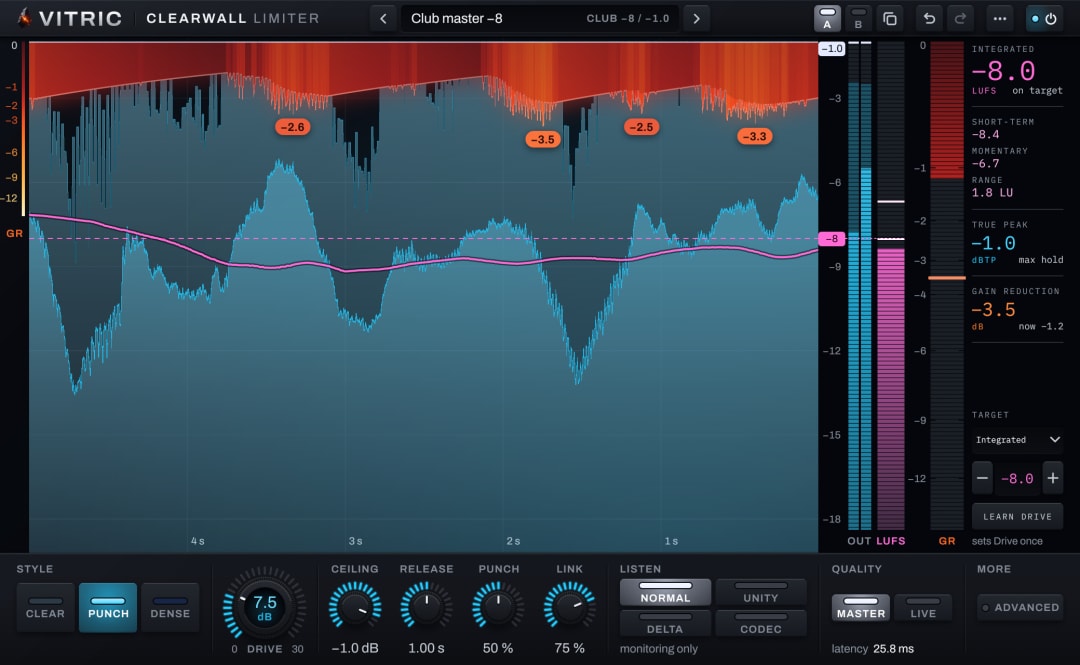
Clearwall Limiter builds the clip-then-limit chain into one plugin and treats the bass separately. Its clip stage splits the signal at 300 Hz. Above the split, a gated hit clip takes only the first milliseconds of hits that rise out of quieter material; in Clear and Punch the hit clip never touches a held note. Below the split, the bass gets its own clip, set higher and backing off as you push, which can still shave the crest of a held bass note. The gain stages and a true-peak verify stage follow. Its three styles set how much of the work goes to the clip: Clear clips only the tips of hits, Punch clips the first milliseconds of each drum hit, and Dense hands more of the work to the clipper as you push. Curve chooses a hard Converter knee or a Smooth one, and Delta plays exactly what the limiter removes. The Clearwall manual covers each control.