Sidechain compression: what it is, and how to set it up in any DAW
Sidechain compression lets one track control the compressor on another, so the kick can duck the bass or a voice can duck the music. Here is how it works, settings to start with, and the routing in FL Studio, Ableton Live, Logic Pro and Pro Tools.
Every compressor listens to a signal and turns the audio down when that signal gets loud. Normally it listens to the same audio it is compressing. Sidechain compression feeds it a different signal instead, so one track decides when another track gets quieter. The kick ducks the bass, the voice-over ducks the music, the dry vocal ducks its own reverb.
What is sidechain compression?
A compressor has two paths. The audio path is what you hear, and the gain stage turns it down. The detector path, called the sidechain, measures level and decides how much to turn it down. In normal use both paths carry the same track. With an external sidechain, the detector hears another track, so the compression follows that track's rhythm rather than the audio's own peaks.
The same compressor controls apply as in normal compression: ratio, threshold, attack and release. The dynamic range compression guide explains each one. What changes is the question each control answers: how far the bass dips when the kick plays, how quickly it dips, and how soon it comes back.
Why sidechain the bass to the kick?
A kick and a bass line share the bottom of the mix, roughly 40 to 120 Hz, and an 808 sits in the same place. When both peak together, the low end gets louder and blurrier, and the kick loses its punch. You can cut the bass with EQ where the kick lives, but then the bass stays thinner the whole time, not only when the kick plays.
Sidechain compression dips the bass only for the first moment of each kick, then lets it come straight back. The kick gets the low end to itself for the hit, and the bass keeps its full weight between hits. For tuning the two to the same key, see how to tune an 808.
Sidechain settings to start with
| Goal | Ratio | Attack | Release | Gain reduction |
|---|---|---|---|---|
| Kick through the bass, barely audible | 4:1 | Fastest available | 60 to 120 ms | 2 to 6 dB per kick |
| Audible pumping (house, EDM) | 8:1 or higher | Fastest available | About a quarter or eighth note | 8 dB or more |
| Voice ducking music (podcast, video) | 3:1 to 4:1 | 5 to 20 ms | 200 to 500 ms | 4 to 8 dB while the voice speaks |
These are starting points to adjust by ear. Set release by the tempo: one beat lasts 60,000 / BPM milliseconds, so at 120 BPM a beat is 500 ms, an eighth note 250 ms and a sixteenth 125 ms. If the bass is still ducked when the next kick lands, the release is too long. The delay calculator gives every note value in ms for your tempo.
Check the result in the full mix at the same playback level with the compressor on and bypassed. A good sidechain on bass sounds like a cleaner kick, not like a volume effect.
How do you sidechain in FL Studio?
FL Studio routes sidechains in the Mixer. Put the kick and the bass on their own Mixer tracks, and put the compressor on the bass track.
- Select the kick's Mixer track.
- On the bass track, right-click the send switch (the arrow at the bottom of the track) and choose Sidechain to this track. The kick now feeds the bass track as a sidechain signal without being heard there.
- With Fruity Limiter, open its COMP tab, right-click the SIDECHAIN selector and choose the kick's track.
- With a third-party compressor (VST3), open the plugin wrapper settings, go to the Processing tab and use Connections to assign the kick's track to the plugin's sidechain input. Then switch the plugin to its external sidechain.
Plugins have to be installed and scanned first; see how to install VST3 plugins in FL Studio.
How do you sidechain in Ableton Live?
Live's own Compressor has a Sidechain section: expand it, switch Sidechain on, and choose the kick track under Audio From. Since Live 10.1, plug-ins that have a sidechain input get the same routing panel in their device. Switch on Sidechain, pick the kick in Audio From, and turn on the external sidechain inside the plug-in if it has a switch for it. If a plug-in has no sidechain input, the routing does nothing.
Setting up third-party plug-ins in Live is covered in how to install plugins in Ableton Live.
How do you sidechain in Logic Pro?
In Logic Pro the sidechain lives in the plug-in window. Open the compressor on the bass channel, click the Side Chain pop-up menu in the plug-in header, and choose the kick track or a bus that carries it. Choose None to switch it off. The sidechain signal controls the plug-in but is not processed by it. For AU plugins, see how to install AU plugins in Logic Pro.
How do you sidechain in Pro Tools?
Send the kick to a bus with a send on the kick track. On the compressor inserted on the bass, click the Key Input selector at the top of the plug-in window and choose that bus, then switch the plug-in to its external key or external detector. Key inputs in Pro Tools are mono, which is fine for a kick.
What is a sidechain high-pass filter?
A sidechain filter changes what the detector hears without changing the audio. A high-pass filter in the sidechain stops low frequencies from driving the compressor. On a drum bus or a mix bus that matters: without it, every kick and bass note triggers gain reduction, and the whole mix dips in time with the low end. Filter the detector somewhere around 60 to 150 Hz and the compressor responds to the rest of the mix while the low end passes untouched.
Most compressors with a sidechain filter also have a listen switch that lets you hear the filtered detector signal, which makes it easy to set the frequency by ear.
Can you duck reverb and delay without a sidechain?
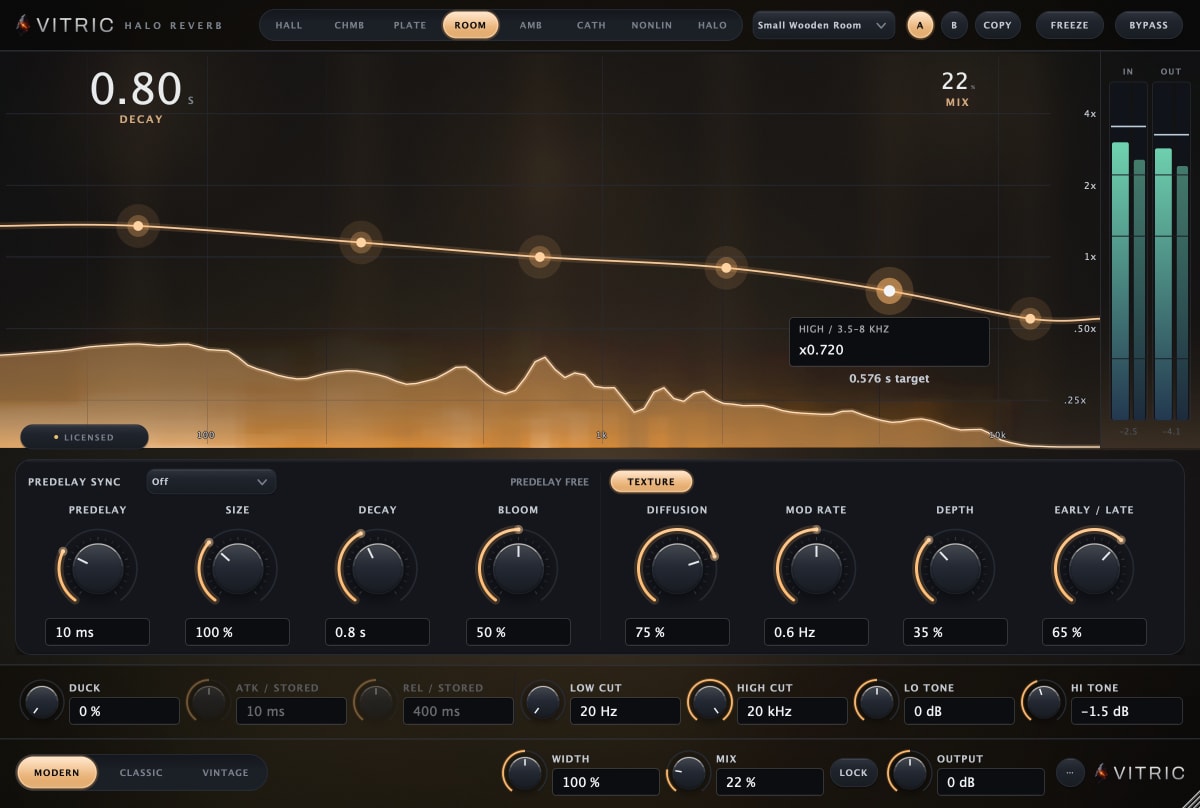
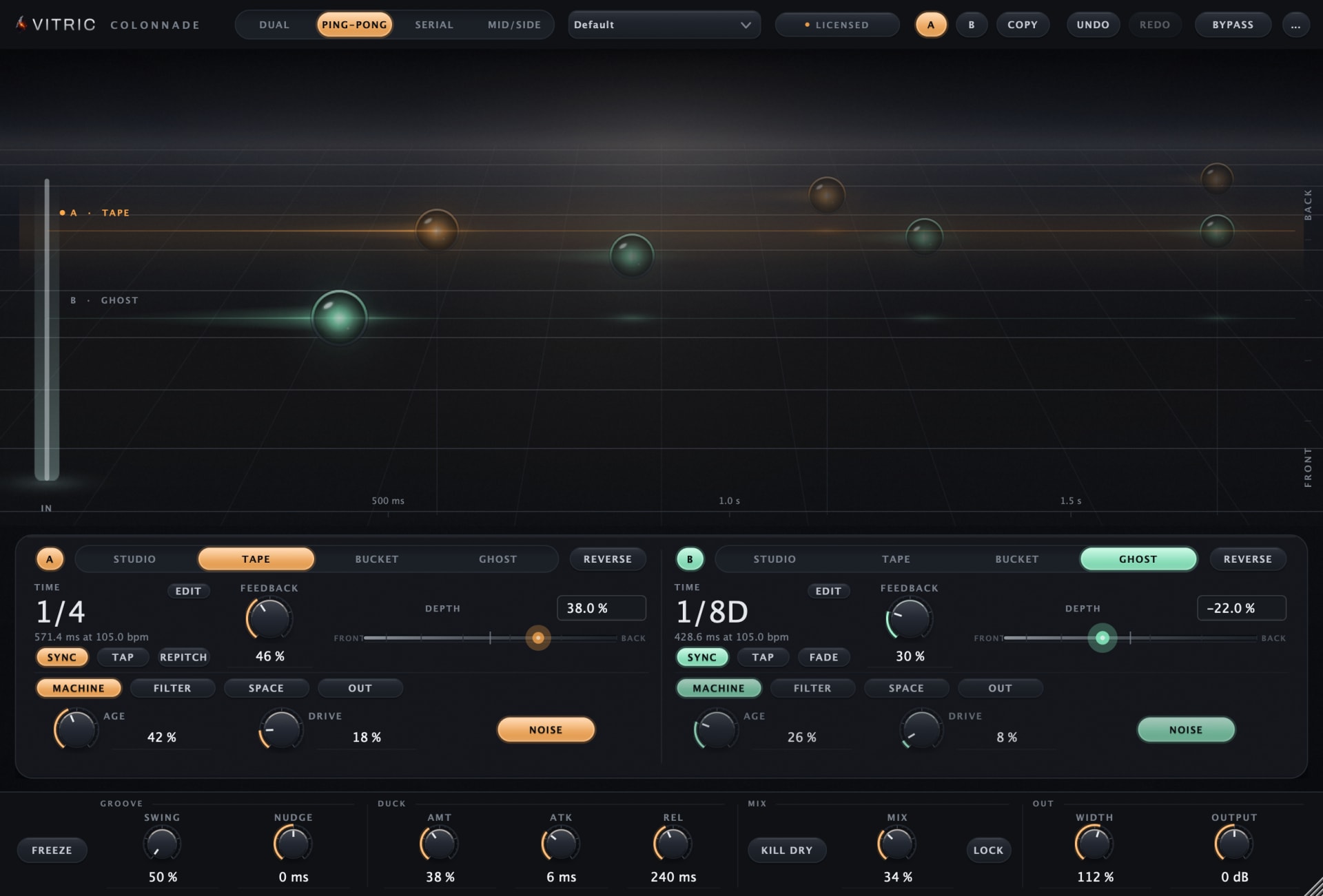
Yes. A long reverb or a busy delay on a vocal can cloud the words. The classic fix is to sidechain a compressor on the effect return from the dry vocal, so the effect drops while the singer sings and blooms in the gaps. Some effects build this in. Halo Reverb and Colonnade Delay each have ducking driven by the dry signal, with amount, attack and release controls, so no routing is needed. That is ducking from the plugin's own input, not an external sidechain from another track. For delay times, see types of delay.
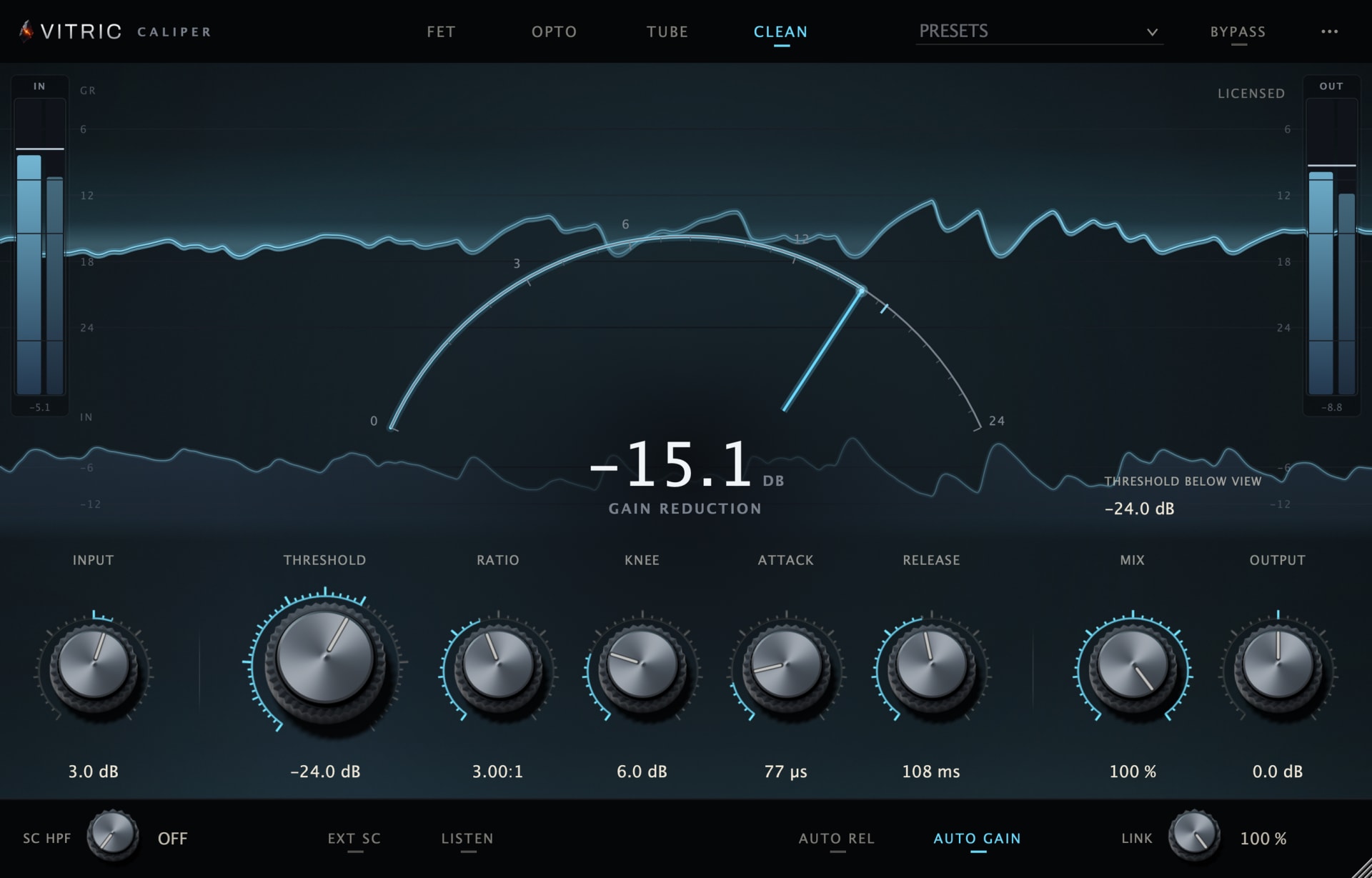
Sidechain in Caliper Compressor
Caliper Compressor has an internal or external detector, a sidechain high-pass and Listen. Route the kick to Caliper's sidechain input in your DAW using the steps above, select the external detector, and press Listen to confirm the kick is arriving. The high-pass is off at its minimum and starts at 22 Hz; it filters only the detector, never the audio. Stereo link runs from 0 to 100 percent, and Caliper adds no processing latency. It runs as VST3 and AAX on macOS and Windows and as AU on macOS, with a free trial.
The DAW steps follow each maker's documentation: the FL Studio manual pages for Fruity Limiter and the plugin wrapper, Ableton's sidechaining a third-party plug-in, Apple's Logic Pro plug-in window guide and Avid's key input help. Menus move between versions, so check your DAW's own manual if a name differs.
Frequently asked questions
Is sidechain compression the same as ducking?
Ducking is the effect: one sound gets quieter while another plays. Sidechain compression is the most common way to get it. Built-in ducking in a reverb or delay does the same job from the plugin's own input.
Should the sidechain source be pre-fader?
A pre-fader send keeps the ducking the same when you change the kick's fader. A post-fader send makes the ducking follow the fader. Either works; pre-fader is easier to keep consistent.
Can I sidechain a ghost kick?
Yes. A muted kick track (or one routed only to the sidechain) can drive the ducking on its own pattern, for example a steady four on the floor under a busier drum part.
Why does nothing happen when I add the sidechain?
Check three things: the compressor is set to use its external sidechain, the source is actually reaching the sidechain input (use the plugin's listen switch if it has one), and the threshold is low enough for the kick to cross it.