A Pro-Q 4 alternative? Bevel EQ vs FabFilter Pro-Q 4
Pro-Q 4 does more, and it should at its price. What the two share, what Bevel EQ deliberately leaves out, and which one belongs in your session.
Anyone shopping for a parametric EQ ends up staring at FabFilter Pro-Q 4 eventually. It is the default answer, it earned that position, and any comparison written by a competitor deserves suspicion. So this one is played straight: where Pro-Q 4 is simply the better tool, where the two are the same tool, and which of the things Bevel EQ still does not do are decisions rather than gaps. By the end you should know which one to put your money on, and for a lot of readers the honest answer will be Pro-Q 4.
Where they are the same tool
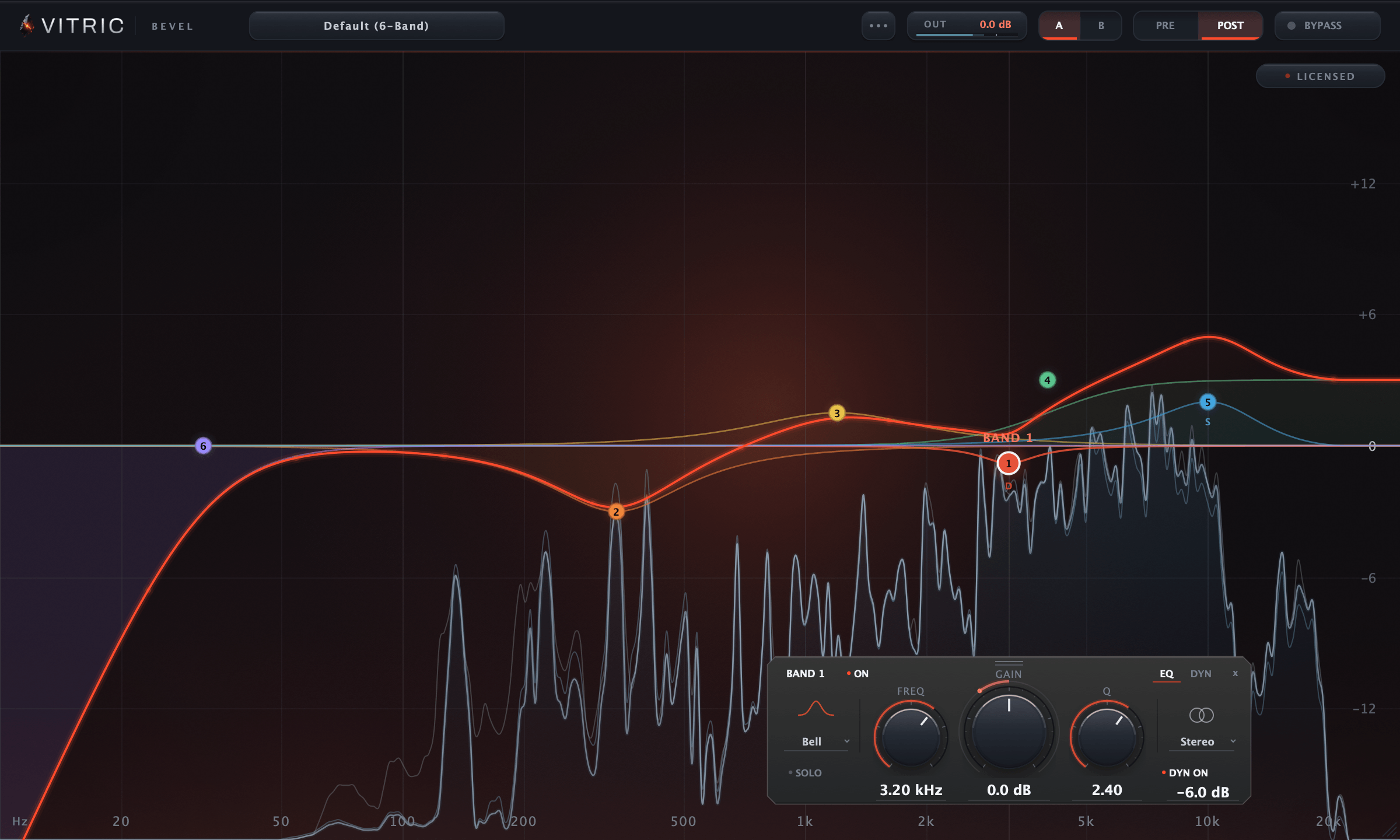
Strip both plugins to the core job, minimum-phase parametric EQ on a stereo signal, and the spec sheets converge. Pro-Q 4 runs up to 24 bands. Bevel runs 24 freeform bands, any slot a bell, low shelf, high shelf, notch, high pass or low pass. Pro-Q 4's filter slopes reach 96 dB/oct, with a brickwall option on its cut filters. Bevel's high and low pass filters step through 12, 24, 48, 72 and 96 dB/oct as cascaded Butterworth sections. Both draw a real-time spectrum analyzer under the curve. Both let you solo a band to hear exactly what it is touching.
That matters because a static bell cut is a solved problem. A 2 dB dip at 300 Hz is the same filter math in either plugin, and neither has a secret bell. That does not make every implementation or setting identical. The core job is not what Pro-Q 4's price buys. What it buys is everything stacked on top of the core job, and that stack is real.
Where the two overlap
Bevel covers per-band dynamics and per-band stereo placement. In both cases its version is narrower than Pro-Q 4's, and the difference is worth knowing before you buy either one.
Per-band dynamics. Any gain shape, bell, low shelf or high shelf, can be switched into dynamic mode. That band then gets a threshold from -72 to 0 dB, a range from -24 to +24 dB, an attack from 0.5 to 200 ms and a release from 5 to 2000 ms. The range is signed, which is the part that matters: the same control lets a band duck or lift when the level in its region crosses the threshold, so a cut that lands only when a resonance flares and a lift that lands only when a region gets loud are the same feature. The detector is filtered to the band's own frequency region, so a dynamic bell at 3 kHz reacts to what is happening at 3 kHz rather than to the overall programme level. Dynamic mode is on the gain shapes only. Notches and the pass filters stay static.
Pro-Q 4 covers the same job on its bells and shelves, and then goes further in a way Bevel does not attempt: its spectral dynamics work across the spectrum inside a single band, closer to hundreds of tiny compressors than to one. Bevel gives a dynamic band one detector and one gain stage. So if the work is catching a resonance when it flares, both plugins do it and the choice comes down to feel and price. If the work is holding a whole region down unevenly, that is Pro-Q 4 and nothing in the Vitric line answers it.
Per-band stereo placement. Every band now carries a placement setting: Stereo, Left, Right, Mid or Side. A boost in the sides only, a cut in the mid only. Those standard mastering moves are single-band moves in Bevel now, not something you route around it with. Pro-Q 4 offers per-band mid/side and left/right too, so on this one line of the spec sheet the two plugins have stopped differing.
An oversampling quality switch, which is not linear phase. Quality is now Zero Latency, 2x or 4x. Running the filters at a higher internal rate keeps a steep cut or a high shelf near the top of the band closer to its analog shape, instead of cramping as it approaches Nyquist. Latency is reported to the host and the dry path is delay-compensated, so bypass stays phase-aligned, and Zero Latency, the default, really is zero. Be clear about what that is not: oversampling does not make the EQ linear phase. Bevel still has one phase mode, so a cut still shifts phase around itself the way any minimum-phase filter does. The two settings solve different problems and only one of them is on Bevel's panel.
What Pro-Q 4 has that Bevel does not
As of September 2026, Pro-Q 4 sells for $199 direct from FabFilter and still carries a feature set Bevel does not attempt. None of this is filler. Each item below solves a genuine session problem, and if the problem is yours, this list is your answer.
- Spectral dynamics. New in Pro-Q 4: dynamics applied across the spectrum inside a band, closer to hundreds of tiny compressors than to one. There is no equivalent anywhere in the Vitric line. Bevel's dynamic bands are one detector and one gain stage each.
- Linear phase and natural phase modes. Pro-Q 4 offers multiple processing modes including a high-quality linear phase option. Bevel has one phase mode. Its quality switch is oversampling, Zero Latency, 2x or 4x, which reduces cramping near the top of the band and does nothing at all about phase.
- EQ Match. Analyze a reference, analyze your signal, and let the plugin generate the bands that move one toward the other. Bevel has nothing like it.
- Spectrum grab. Grab a peak directly in the analyzer and drag it down. In Bevel you double-click the curve where you want a band and place it yourself.
- Surround support. Pro-Q 4 handles surround formats up to Dolby Atmos 9.1.6. Bevel is a mono and stereo plugin.
If your week includes linear phase on a print chain, matching to a reference, or Atmos deliverables, stop reading and buy Pro-Q 4. It is the right tool and Bevel will not argue.
What Bevel still leaves out
Bevel has one phase mode, no linear phase and no natural-phase equivalent. It is mono and stereo only, with no surround and no Atmos. It has no EQ match, no spectrum grab, no collision or masking view between instances, and no multi-band selection or group editing, so twelve notches are twelve separate edits. Some of that is deliberate scope and some of it is simply not built. Either way, that is the state of it today, and nothing here is a promise about what changes next.
What has not changed is the default state. A new instance opens with six flat bands, and the Empty preset clears them. Double-click the curve and a new band appears, static and full stereo, with the display reading out the frequency under the cursor and its nearest note name as you hover. Dynamic mode and stereo placement are per-band settings you go and set on the band that needs them, not questions the plugin asks before it will do the thing you opened it for.
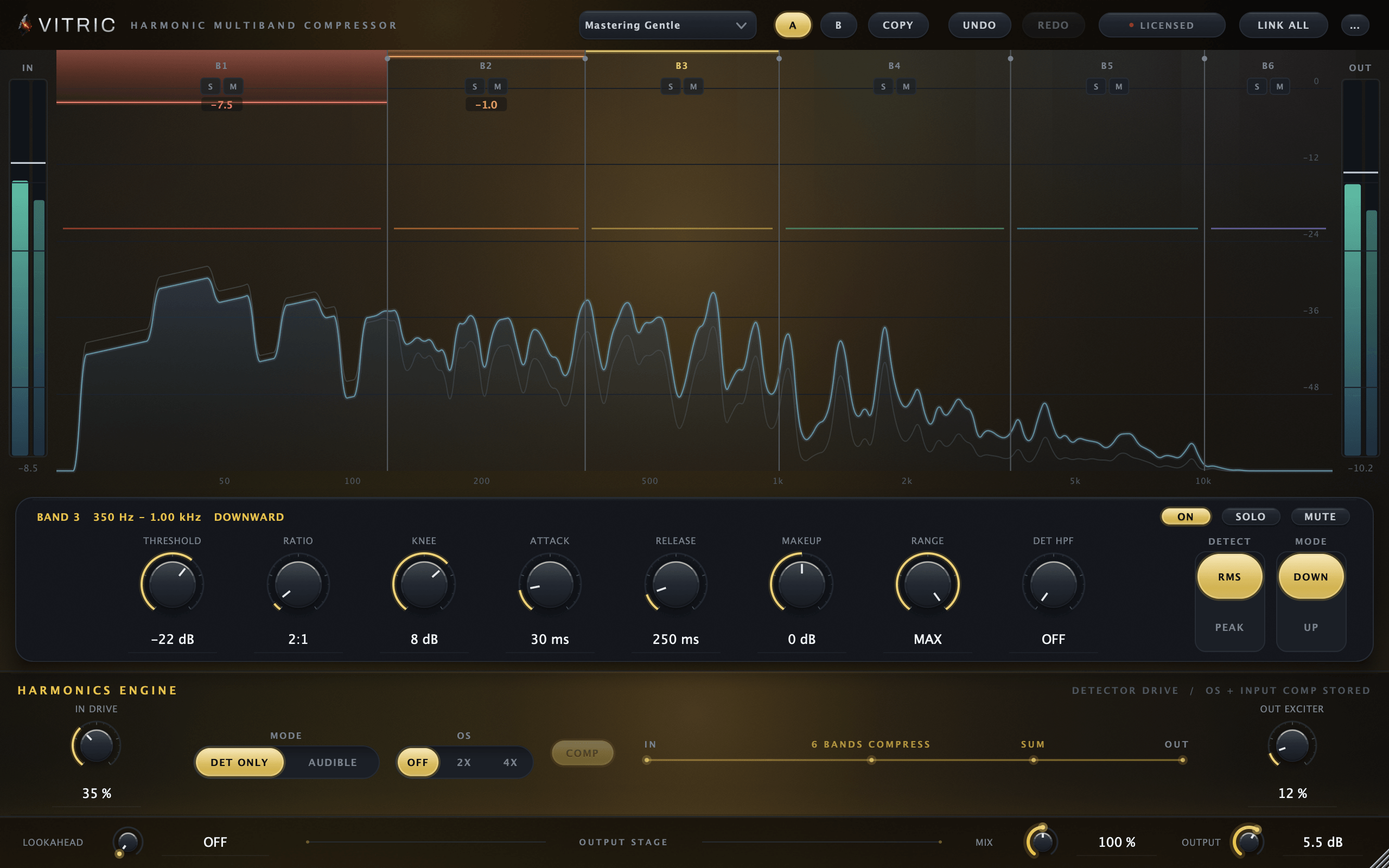
The division of labour behind the old dynamics argument does survive in one form. A dynamic band in Bevel is deliberately small: one detector filtered to the band, one signed range, four controls. When the problem is bigger than that, when it wants crossovers, ratio, knee, a sidechain high pass and a parallel blend, it belongs in a dynamics tool. The Harmonic Multiband Compressor gives each of its six bands a full detector with threshold, ratio, attack, release and sidechain high pass, which is more control over how the reduction moves than an EQ band should be asked to carry. Pro-Q 4 folds more of that job into the EQ so one plugin covers both, and plenty of engineers prefer exactly that.
What Bevel has, mechanically
Inside its smaller scope, Bevel is specific about the details that cost time in a session.
- 24 freeform bands. No fixed layout and no pre-assigned slots. A vocal chain that needs one high pass, two notches and a shelf uses four bands. A snare resonance hunt that needs twelve notches gets twelve, in one instance. Gain runs to plus or minus 30 dB, Q from 0.1 to 40.
- Per band: shape, placement, dynamics. One band carries its shape, its stereo placement (Stereo, Left, Right, Mid or Side) and, on the gain shapes, its own dynamic section with threshold, signed range, attack and release. The move is set where the move lives, not in a routing page somewhere else.
- An analyzer that can show both taps at once. With Show pre and post together on in Options, both draw directly under the summed curve, so the resonance and the band you cut it with share one picture. Range at 60, 90 or 120 dB, tilt at 0, 3, 4.5 or 6 dB per octave, three speeds, FFT at 4096, 8192 or 16384, freeze, and a peak-hold trace. The FFT runs on the UI thread; the audio thread only copies samples for it, and metering never touches the signal processing.
- Per-band solo, filtered to the band. The listen filter follows the band's type and frequency, so you audition the region it works on before you commit the cut.
- Curve behaviour you can leave switched on. Proportional Q narrows a band's bandwidth as it is pushed harder, and auto-gain compensates the curve's overall boost or cut. Both are optional. A mono-maker sums everything below its corner at 24 dB/oct; Options switches it and sets the corner from 20 to 500 Hz.
- Editing that keeps up with the session. Delete removes the selected band, the arrow keys nudge frequency and gain, Tab cycles bands, and Cmd-Z and Shift-Cmd-Z undo and redo inside the plugin. Command gives a fine drag, Shift moves frequency only and Option/Alt+Shift moves gain only, Alt-click bypasses a node, right-click opens its menu.
- Typeable everything, and honest A/B. Frequency, gain and Q take typed values, and the A/B snapshot slots hold two full plugin states and persist with the session. They recall settings, not loudness, so auto-gain is the tool for a level-honest comparison. Bypass crossfades, frequency, gain and Q moves glide while the mix plays, and adding or removing a band or loading a preset fades over 15 ms; only the Quality switch changes at once.
- Output. An output trim with peak and RMS metering, so a curve that added 3 dB does not get to win the comparison on loudness.
Side by side
| Capability | Bevel EQ | Pro-Q 4 (as of September 2026) |
|---|---|---|
| Bands | 24, freeform | Up to 24 |
| Steepest slope | 96 dB/oct | 96 dB/oct, plus brickwall cuts |
| Dynamic EQ | Yes, per band on bell and shelf shapes | Yes, plus spectral dynamics |
| Mid/side per band | Yes: Stereo, L, R, Mid or Side per band | Yes, and left/right |
| Linear phase | No, one phase mode (oversampling to 4x is not the same thing) | Yes, multiple modes |
| EQ match | No | Yes |
| Per-band solo | Yes | Yes |
| Surround | No, mono and stereo only | Up to Atmos 9.1.6 |
| Price | $30 list | $199 |
Who should buy which
Buy Pro-Q 4 if any of these describe you: linear phase is part of your print chain; you want spectral dynamics rather than one detector per band; you match to references and want the plugin to draw the bands; you work in surround; or you want one EQ that will never be the reason you open a second one. At $199 as of September 2026 it is expensive and worth it for that engineer.
Consider Bevel EQ if you mix in stereo, your EQ work is corrective and surgical, you want dynamics and mid/side on the handful of bands that need them rather than a mastering feature stack, and you would rather see pre and post at once than toggle. You still give up linear phase, surround, EQ match and spectrum grab, and Bevel has no masking view across instances and no group editing. You get the core job at full depth at a lower price. The honest framing: Bevel is not a Pro-Q 4 killer. Version 1.1.0 narrowed the gap on dynamics and stereo placement and left the mastering stack above it untouched. It is the 90 percent tool, scoped to the EQ work most sessions actually contain, priced for what it is.