What is clipping in audio? Digital clipping, soft clipping and how to avoid it
Clipping happens when a signal goes past the highest level a system can carry, and the tops of the wave are cut flat. Here is what clipping sounds like, where it happens in a DAW, how to avoid it, and when producers clip on purpose.
Clipping happens when a signal goes past the highest level a system can carry. The wave cannot go any higher, so its tops and bottoms are cut flat. That changes the shape of the wave and adds harmonics that were not in the sound, which is distortion. In a digital file or converter, the ceiling is full scale, 0 dBFS. In analog gear, it is the most voltage a circuit's power supply and output stage can deliver.
What does clipping sound like?
A little clipping on a short drum hit can pass unnoticed. More of it is heard as a harsh, gritty edge on the loudest notes. Cutting a wave flat pushes it toward a square wave, which adds strong harmonics high in the spectrum. In digital audio, harmonics above half the sample rate cannot be stored, so they fold back down as tones that are not musically related to the sound. Sound On Sound puts it bluntly: digital clipping "produces anharmonic distortion which sounds very ugly".
Digital clipping vs analog clipping
A fixed-point digital file has a hard top. In 16-bit audio the largest value a sample can hold is 32767, which is full scale; anything above it is stored as 32767, so the peak is cut flat. Several samples in a row at full scale are a sign of clipping printed into a file.
Analog circuits clip when the signal needs more voltage than the power supply can give. Vacuum tubes clip more gradually than transistors, which is soft clipping: the tops are rounded instead of cut flat, so less energy goes into the highest harmonics. Electric guitarists often overdrive their amplifiers on purpose to get this kind of distortion.
Is the red meter in my DAW clipping?
Not always. Modern DAWs mix in floating point, which gives them a lot of internal headroom. In Sound On Sound's words, you can "quite happily have individual channels going over 0dBFS", as long as the level is brought back down before it is mixed on the master bus. Two places still need care: some plugins, which are not designed for very hot levels, and the end of the chain. Your interface's converters and any 16-bit or 24-bit (fixed-point) file you export stop at full scale, so a red light on the master output is clipping you hear, and a 16-bit or 24-bit export prints it into the file. A 32-bit float export keeps the overs, but they still clip on playback or when the file is converted to fixed point. Turn the channels or the master's input gain down first.
Clipping when you record
The interface's converter has a fixed top too. If the input clips while you record, the flat tops are in the file. Declipping tools can rebuild some of the missing peak by interpolating from the samples around it, but complex hard-clipped audio cannot be restored to its original shape. Set the input gain so the loudest part of the take peaks well below 0 dBFS, and record again if it clipped.
How to avoid clipping
- Record with headroom. The loudest part of each take should peak well below full scale.
- Mix with headroom. Sound On Sound suggests aiming for something like -12 to -18 dBFS on a kick or snare track, and says you can afford to leave plenty of headroom on every channel.
- Trim, do not squash. If the master bus runs hot, lower the faders or the master's input gain before any bus processing.
- Use a true-peak limiter last on the master. A limiter brings the loudest moments down smoothly instead of cutting them flat. Use a true-peak one, because a master whose sample peaks stop at -0.1 dBFS can still go over full scale between the samples: see true peak vs sample peak.
Clipping on purpose
Clipping is also a tool. A saturator rounds the peaks to add harmonics and density, and a clipper on a loud master can shave the tallest drum transients before the limiter. The limiter vs clipper guide explains when a clipper helps, and what a saturator does shows soft and hard clipping measured.
Clipping with Vitric plugins
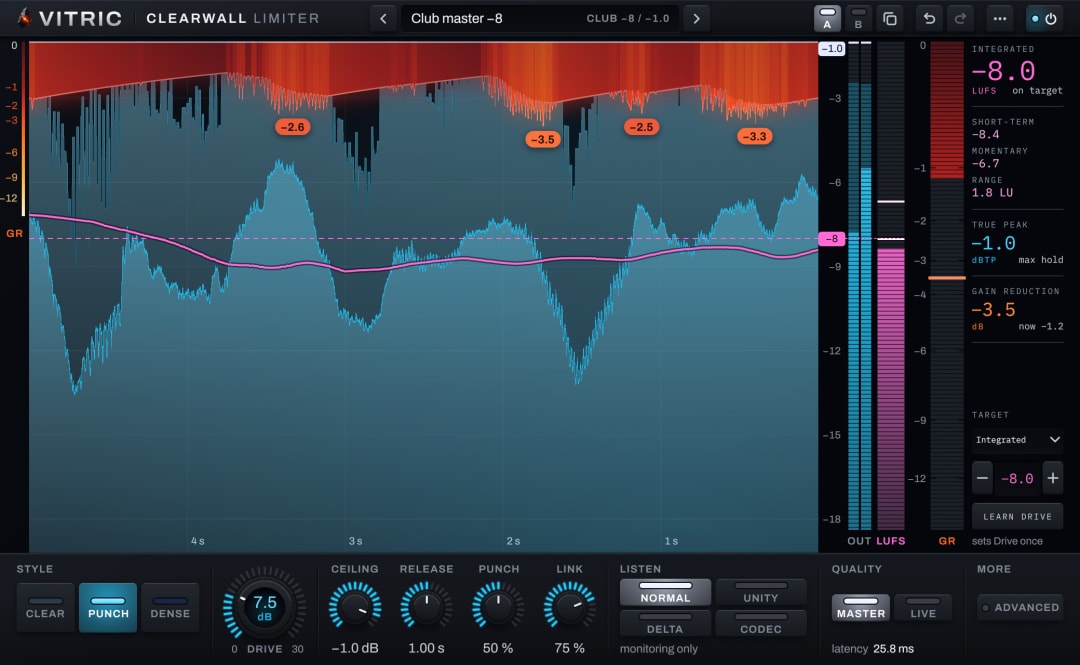
Clearwall Limiter holds the true-peak ceiling you set. In its Clear and Punch styles, the hit clip shaves only the first milliseconds of drums that rise out of the mix, never a held note. The bass gets its own clip, set higher.
Questions
Is clipping bad?
Accidental clipping usually is: it adds harsh distortion you did not choose, and it cannot be fully undone. Clipping on purpose, with a clipper or a saturator, is a common production tool.
What is 0 dBFS?
Full scale: the highest level a fixed-point digital system can store. Levels in a DAW are measured down from it, so a peak at -6 dBFS is 6 dB below the top.
Can you fix clipped audio?
Partly. A declipping tool estimates the lost peaks from the samples around them, but complex hard-clipped audio cannot be restored to its original shape. If you can, record it again.