How to use autotune: pitch correction that sounds natural or robotic
Autotune is pitch correction: it hears the note a singer is on and moves it to the nearest note you allow. Set the key and scale first, then the speed decides whether it sounds natural or robotic.
Autotune is the everyday word for pitch correction: a plugin that hears which note a singer is on and moves the voice to the nearest note you allow. AutoTune (long spelled Auto-Tune) is the Antares Audio Technologies product that gave the effect its name, first released in 1997. Melodyne, the pitch correction that comes with Logic Pro, GarageBand, FL Studio (Signature and up) and Ableton Live 12.1 or later, and vocal chain plugins all do the same job. Set gently, it is hard to hear. Set to its fastest, it becomes the stepped, robotic vocal of Cher's "Believe" (1998) and T-Pain's records.
How does pitch correction work?
It does two things to every moment of a vocal. It detects the pitch being sung, and it shifts the audio toward a target note: the nearest note in the key and scale you set, or the nearest of all 12 notes when the scale is chromatic. The speed setting decides how quickly the voice reaches that target. Each tool names it differently: Retune Speed in Antares AutoTune, Response in Logic Pro's Pitch Correction, Correction Speed in FL Studio's Pitcher, Smoothing Time in Ableton's Auto Shift.
Pitch correction follows one note at a time. Apple says GarageBand's tuning is accurate only on single-note audio, and the same holds for real-time correction in general: put each harmony and double on its own track with its own instance. Celemony's Melodyne is the exception for recorded audio: its editor and studio editions can find and edit the notes inside chords.
Which settings matter?
- Key and scale. Antares' advice is to set these first, because a wrong key makes the plugin pull notes to the wrong targets. A chromatic setting can make a voice flip between neighboring notes. If you don't know the key, the key and BPM finder reads it from the beat or a rough mix.
- Notes switched off. Most pitch correction lets you remove single notes from the scale. If the melody never uses a note, turn it off so a slide can't land on it.
- Speed. The control that decides natural or robotic. Antares gives three ranges for AutoTune 2026: 40 to 80 ms for natural, transparent correction, 10 to 20 ms for tuning that is noticeable but musical, as in a lot of modern pop and hip-hop, and 0 to 5 ms for the robotic effect.
- Humanize. Eases the correction on long held notes so they keep some natural vibrato and drift, while shorter notes are still corrected at the speed you set.
- Flex Tune (AutoTune). Lets more of the singer's natural bends, slides and vibrato through while still catching the notes that need fixing.
- Formant. Keeps the voice's character when the pitch moves a long way, so a big correction still sounds like the same singer.
Natural or robotic: settings to start with
| Setting | Natural | Robotic |
|---|---|---|
| Speed | Slow: 40 to 80 ms | Fastest: 0 ms |
| Key and scale | The song's | The song's |
| Humanize | On | Off |
| Flex Tune | On | Off |
| Vibrato | The singer's own | Flattened |
The robotic setting needs the right key even more than the natural one: every wrong target is heard as a wrong note. Cher's producers made the "Believe" effect by pushing the retune speed to zero, Antares says, which made the software snap the voice to the nearest note instantly.
For a natural result, Sound On Sound's Paul White suggests starting from the slow end and staying at halfway or below, so bends and vibrato pass through while held notes are pulled into pitch. Then listen to the vocal on its own and in the mix. Fix the few notes that still land wrong one by one, rather than speeding up the whole track.
Where does pitch correction go in the vocal chain?
First, on the dry vocal. Image-Line's manual for Pitcher says to put it first in the chain, because phasing, chorus and reverb make the pitch harder to detect, and Sound On Sound gives the same advice for AutoTune: a clean, untreated take. EQ, de-essing, compression, delay and reverb come after it. The guides on how to compress vocals and de-essers pick up from there.
Should you tune while recording or after?
Both work. Real-time correction can run while you record: AutoTune 2026 has a Low Latency mode for tracking and live use and an HQ mode for the mix, and Ableton's Auto Shift has a Live Mode that cuts latency at the risk of small glitches. Hearing the correction through the headphones tells the singer what it will do to each note.
After recording, a graphical editor lets you fix single notes by hand. Melodyne shows each note as a blob you can move in pitch and time, and Logic Pro's Flex Pitch shows the notes of an audio region so you can drag them up or down. A common split: automatic correction for the whole take, then hand edits for the notes it gets wrong.
How do you use pitch correction in your DAW?
- FL Studio: Pitcher, included with the Signature Bundle and up (or bought separately). Put it in the first slot of the vocal's mixer track, choose Major or Minor and the key, then set Correction Speed: Image-Line notes that fast settings sound more artificial and slower ones more natural. See also adding plugins to FL Studio.
- Logic Pro: the Pitch Correction plugin, with Root Note and Scale/Chord menus and a Response control. Apple notes that a Response value that is too low turns smooth slides into semitone steps. For single notes, use Flex Pitch in the Audio Track Editor.
- GarageBand (Mac): select the vocal track, open the Audio Editor with the Track button selected, drag the Pitch Correction slider to the right, and tick Limit to Key so notes go to the song's key instead of the nearest of all 12.
- Ableton Live: Auto Shift, added in Live 12.1. On its Quantizer tab choose the Root and Scale (or follow the clip's scale), then set Correction Strength, turn on Smooth and set the Smoothing Time, 0 to 200 ms, which decides how much of the natural slide and vibrato survive.
- BandLab: AutoPitch on your recorded vocal. Pick one of its effects and set the key and intensity. Six effects are free; a membership unlocks the other 18.
Pitch correction in Burnish Vocal Chain
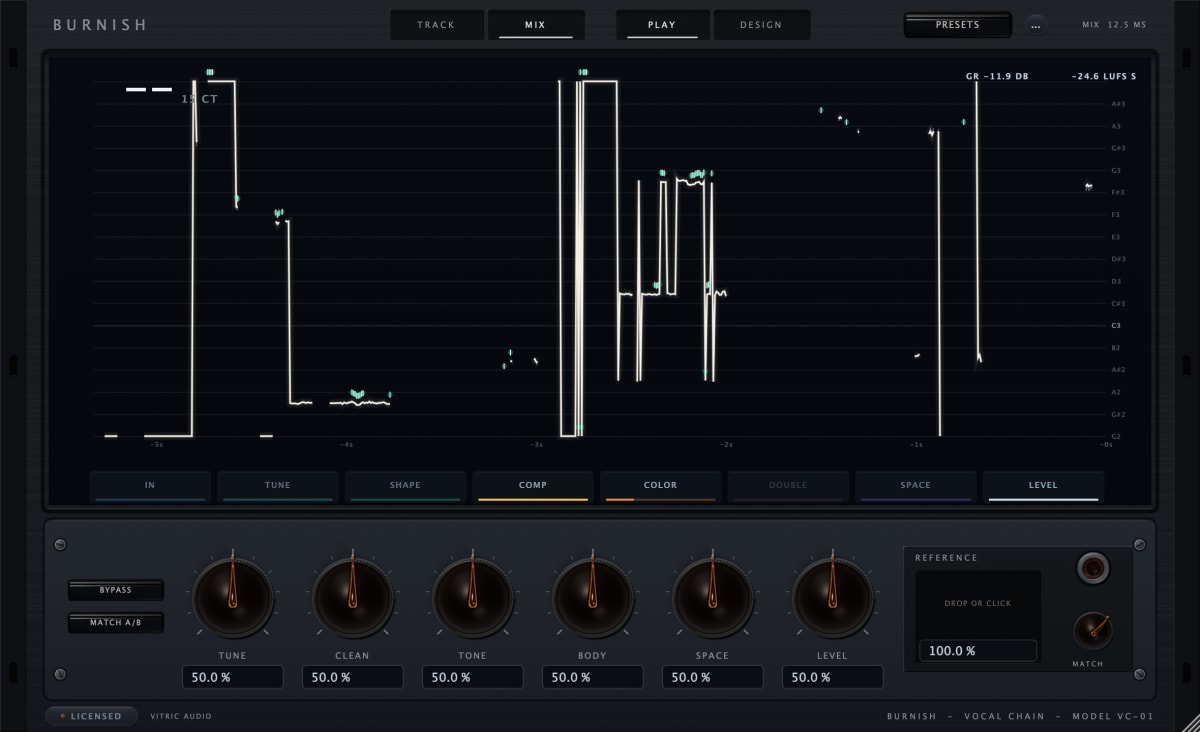
Burnish Vocal Chain runs its stations in a fixed order, IN, TUNE, SHAPE, COMP, COLOR, DOUBLE, SPACE and LEVEL, so its pitch correction comes right after input cleanup and ahead of EQ, compression and space. TUNE offers Classic or Natural correction, with key, scale and individual note targets; you set correction Amount, Speed and Humanize, and Throat is available in Natural. Its tuning is designed for a single vocal line. For recording through it, TRACK forces Classic tuning and reports four samples of plugin latency, about 0.1 ms at 48 kHz; while Classic is correcting a note it adds about 3 ms more, typically. The Burnish manual covers each control.
Questions
What is autotune?
Pitch correction: software that detects the pitch of a voice and moves it to the nearest allowed note. AutoTune, once spelled Auto-Tune, is the Antares product that gave the effect its name.
Why does my pitch correction sound robotic?
The speed is too fast for the part, the key or scale is wrong, or Humanize is off. Slow the speed, check the key, and turn off notes the melody never uses.
What is the difference between AutoTune and Melodyne?
AutoTune is best known for correcting in real time as the vocal plays, and also has a graphical mode. Melodyne is built around editing recorded notes one by one: pitch, vibrato, timing, length and formants, inside your DAW or on its own.
Can pitch correction fix a bad take?
It fixes pitch. Timing, tone and delivery stay as they were sung, although graphical editors such as Melodyne and Flex Pitch can move timing too. A take with the right feeling and a few wrong notes is the one worth tuning.
How do I find the note a singer is on?
Sing or play it into the pitch detector, which shows the note and how many cents it is off.